一、构建 Flex Prompt Template
欢迎来到 Quick Start: Create a Prompt Builder Flex Template。Flex Prompt Template 是 Prompt Builder 中最灵活的模板类型——没有预定义入口点,您可以选择 Org 中的任意对象,并将完成的提示应用到任意场景:Apex、Flow、REST API 或 Agentforce。本项目将带您为 Coral Cloud Resorts 构建个性化客人生日通讯,包含预订详情和度假村活动信息。
建议预备知识:Prompt Fundamentals、Prompt Builder Basics、Flow Builder Basics。
Flex Templates 概述与环境设置
与 Sales Email 或 Field Generation 模板类型不同,Flex 模板没有预定义入口点。这意味着您可以选择任意对象,并通过 Apex、Flow、REST API 或 Agentforce 在任何需要的地方应用。Flex 模板可自动生成 PDF、社交媒体帖子、通讯、邮件、记录字段等各类文本。
🔹 环境准备
- 注册包含 Einstein AI 的自定义 Playground(点击本页面 Challenge 区域的 Create Playground)
- Setup → Quick Find 搜索 Einstein Setup → 确保开关为 On
- 刷新浏览器以显示启用 Einstein 后的新管理设置

🔹 添加测试数据 — 两个度假村活动
在 Prompt Builder 开始之前,先创建两个活动记录作为测试数据:
- App Launcher → 搜索 Experiences → 点击 New
- Family Karaoke Night:Activity Level=Low, Capacity=50, Start Time=6:00 PM, Duration=2h, Location=Melody Lounge, Description=Join us for Family Karaoke Night and sing your heart out with your loved ones! It's a fun-filled evening where you can showcase your talent, laugh together, and create unforgettable memories., Type=Family & Kids' Activities
- 点击 Save & New → Sunrise Yoga:Activity Level=Medium, Capacity=35, Start Time=7:00 AM, Duration=1h, Location=Cocoa Shore, Description=Start your day with Sunrise Yoga on the beach, where you can stretch under the warm morning sun and listen to the soothing sound of the waves. It's the perfect way to feel refreshed and ready for a fun day ahead!, Type=Fitness & Exercise → Save
创建 Flex Template 并添加 Merge Fields
🔹 创建 Flex 模板
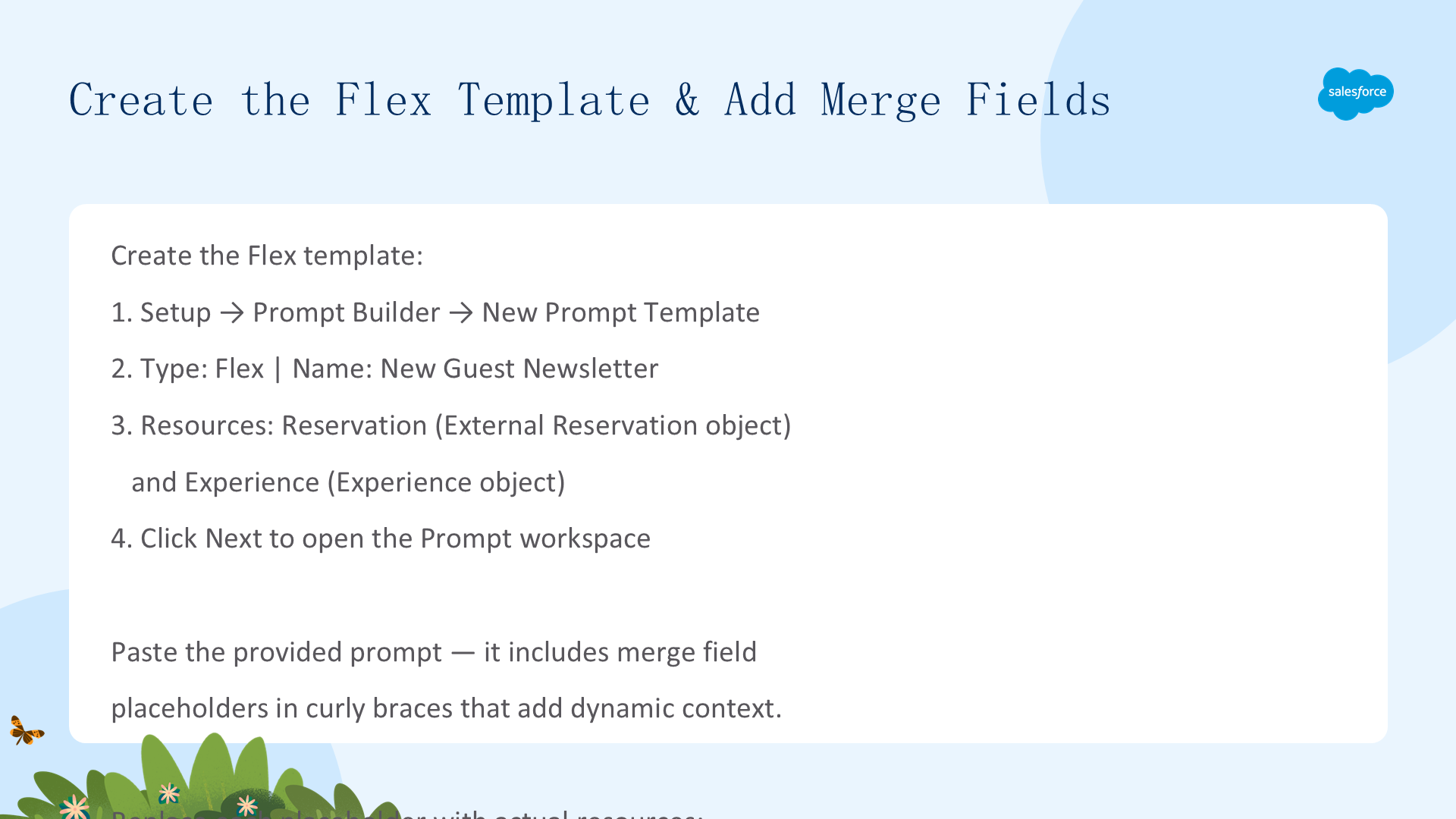
- Setup → Quick Find 输入
prompt→ Prompt Builder → New Prompt Template - Type: Flex | Name: New Guest Newsletter | API Name:
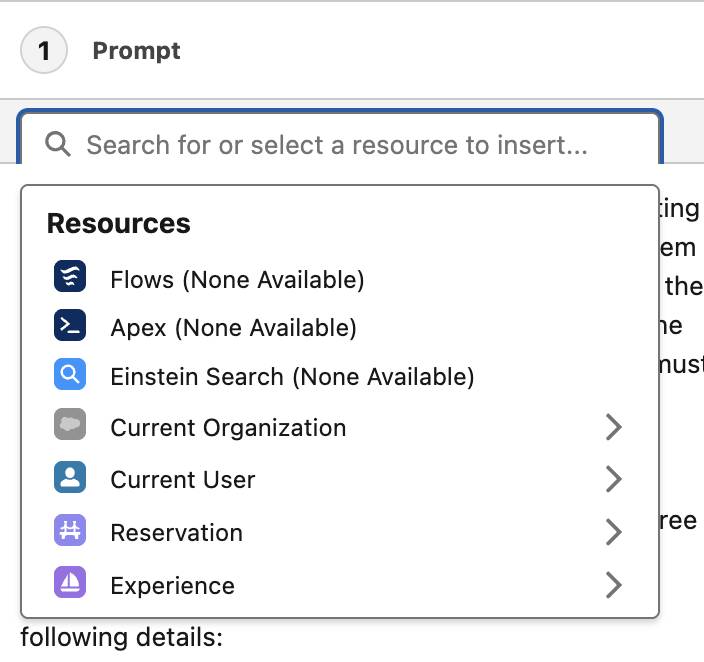
New_Guest_Newsletter - Resources 添加两个:Reservation(Object: External Reservation)和 Experience(Object: Experience)
- 点击 Next 进入 Prompt 工作区
🔹 粘贴提示词并替换 Merge Fields
粘贴提供的提示文本(以"Director of Fun at Coral Cloud Resorts"身份撰写欢迎通讯)。提示中包含花括号括起的 Merge Field 占位符,需要逐个替换为实际 CRM 资源:
You're the Director of Fun at Coral Cloud Resorts writing a newsletter to welcome {the new guest} and inform them of upcoming activities during their stay. The purpose of the newsletter is to get guests excited about staying at the resort. When I ask you to create the newsletter, you must strictly follow my instructions below.
Instructions:
Introduce the resort in a newsletter no longer than three paragraphs.
Inform the guests about their reservation using the following details:
Check In: {Check-in Date}
Check Out: {Check-out Date}
Room Selection: {Room Type}
Include a bulleted list of the experiences available during the guests stay, including the description and the locations. The experiences are as follows:
Experience Name: {Experience Name}
Experience Location: {Experience Location}
Experience Details: {Experience Details}
Use clear and straightforward language using the active voice and strictly avoiding the use of filler words and phrases and redundant language. Be conversational.
Do not attribute any negative traits in the summary.
End with a call to action for readers to look at our website for these offers.
Now create the newsletter.
{the new guest}→ Reservation > External Guest > First Name{Check-in Date}→ Reservation > Check-in Date{Check-out Date}→ Reservation > Check-out Date{Room Type}→ Reservation > Room Type{Experience Name}→ Experience > Experience Name{Experience Location}→ Experience > Location{Experience Details}→ Experience > Description
Models 选择 OpenAI GPT 4 Omni Mini → 点击 Save。
现在提示模板会动态拉取客人姓名、预订详情和单个活动信息,以 Director of Fun 的口吻生成个性化通讯——包含清晰的指令和行动号召。
测试 Prompt
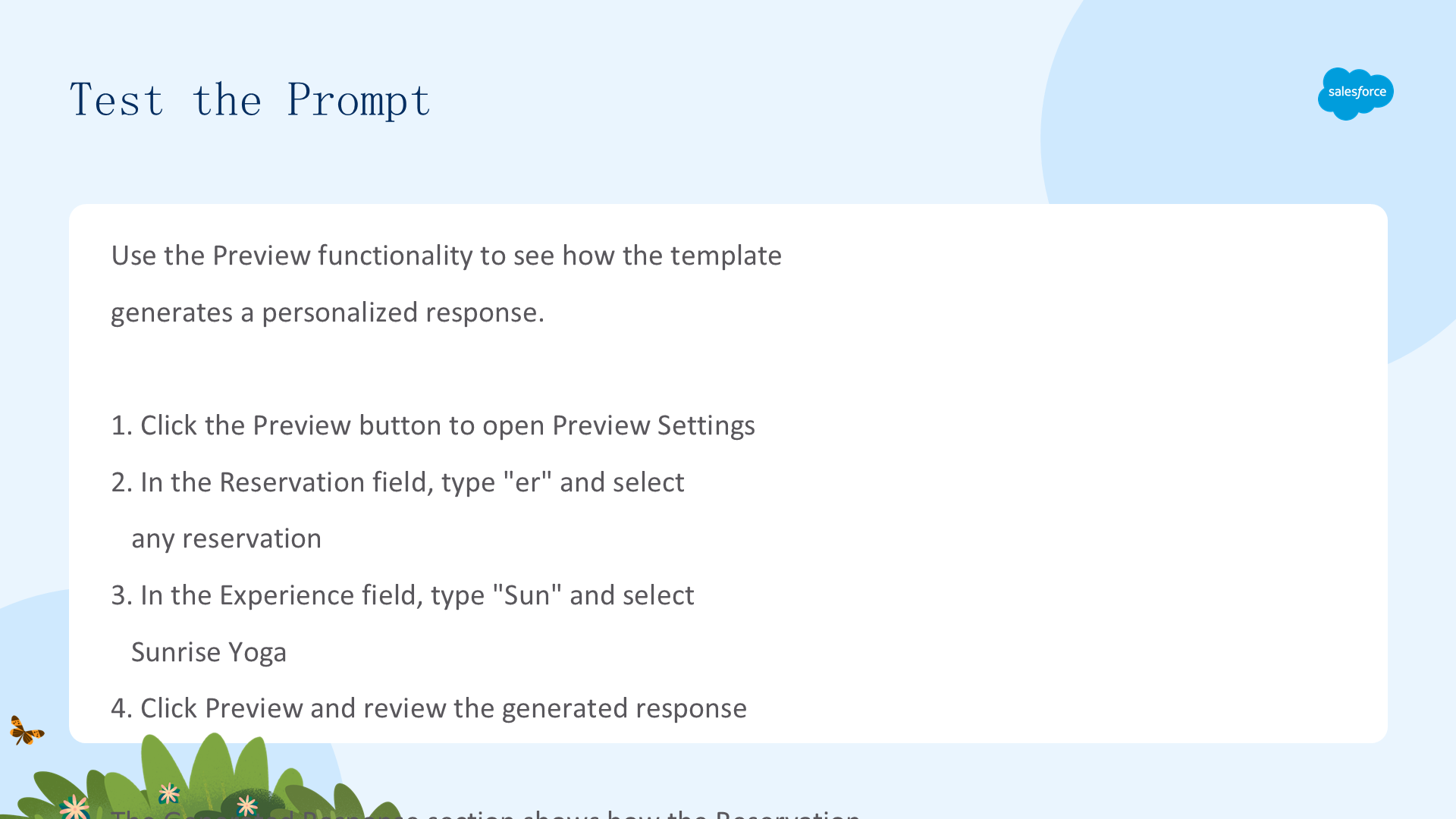
使用 Preview 功能查看个性化通讯效果:
- 点击 Preview → 打开 Preview Settings
- Reservation 字段输入
er选择任意预订 - Experience 字段输入
Sun选择 Sunrise Yoga - 点击 Preview 查看生成的个性化通讯
您可以看到 Reservation 和 Experience 数据如何为客人个性化通讯内容。但存在一个局限:通讯中只包含了一个活动。而 Coral Cloud 在客人入住期间通常有多个活动——要包含所有体验,我们需要一个 Flow 来获取多条记录并传递给 Prompt。
二、为 Prompt Template 添加 Flow
Coral Cloud Resorts 通常在客人入住期间有多个活动。接下来创建一个 Flow 来动态获取所有体验数据,使通讯能包含完整的活动列表。
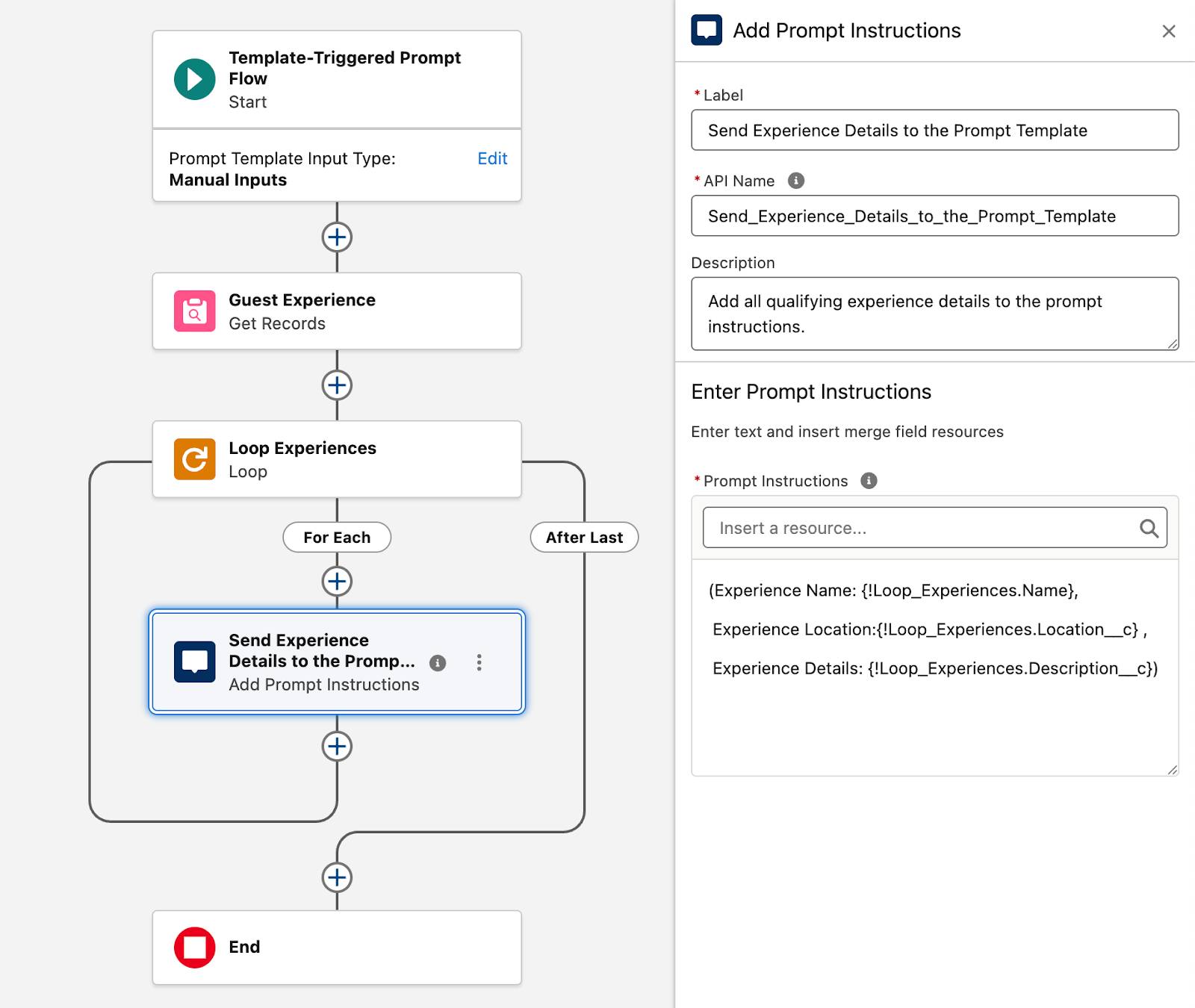
创建 Template-Triggered Prompt Flow
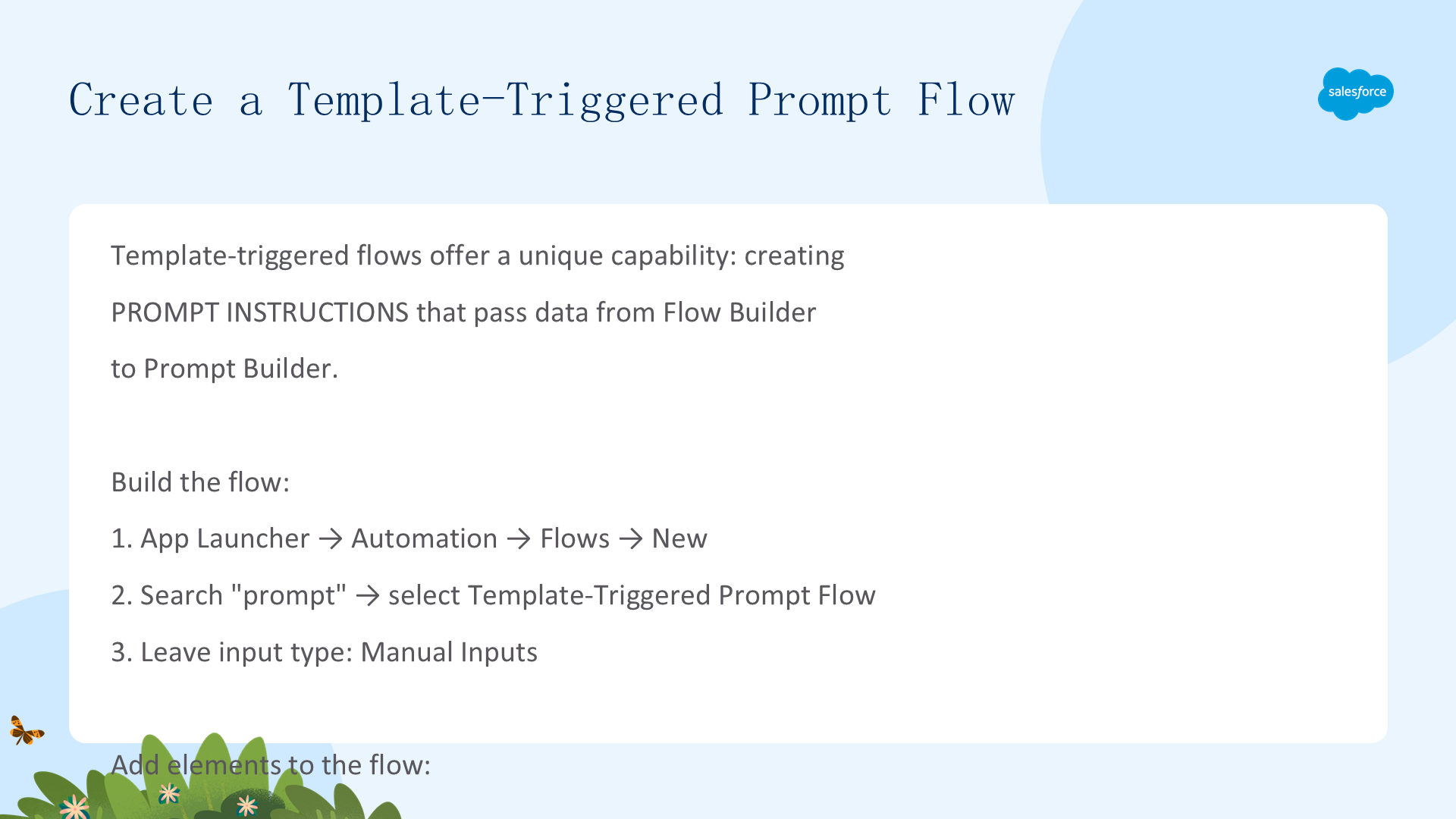
Template-Triggered Prompt Flow 提供了一个独特能力:创建 Prompt Instructions,将数据和文本从 Flow Builder 传递到 Prompt Builder。
🔹 创建 Flow
- App Launcher → 搜索
auto→ Automation → Flows → New - 搜索
prompt→ 选择 Template-Triggered Prompt Flow → 保持输入类型为 Manual Inputs
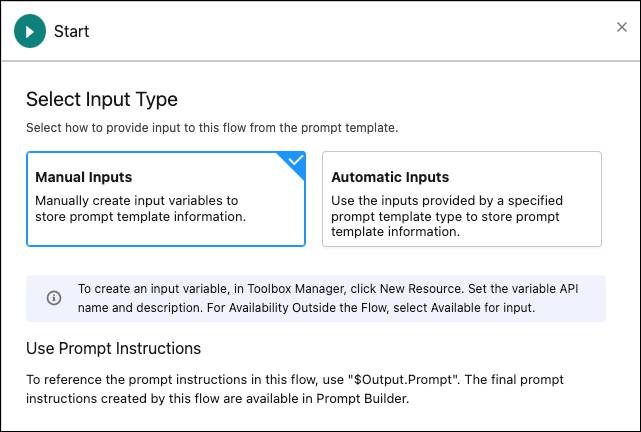
🔹 添加三个核心元素
- Get Records 元素(Guest Experience):Object=Experience, Condition=None(获取所有记录), How Many=All records → 将所有活动检索到一个集合中
- Loop 元素(Loop Experiences):Collection Variable=Experiences from Guest Experience → 逐个遍历每个活动
- Add Prompt Instructions 元素(在 Loop 的 For Each 路径内 — Send Experience Details to the Prompt Template):粘贴格式化文本:
(Experience Name: {!Loop_Experiences.Name},
 Experience Location:{!Loop_Experiences.Location__c} ,
 Experience Details: {!Loop_Experiences.Description__c})
包含 Experience Name、Location、Description 的 Merge Field 引用 → 将每个活动格式化后传递给 Prompt Builder
保存 Flow 为 Get Experience Newsletter Data 并激活。
集成 Flow 并测试最终模板
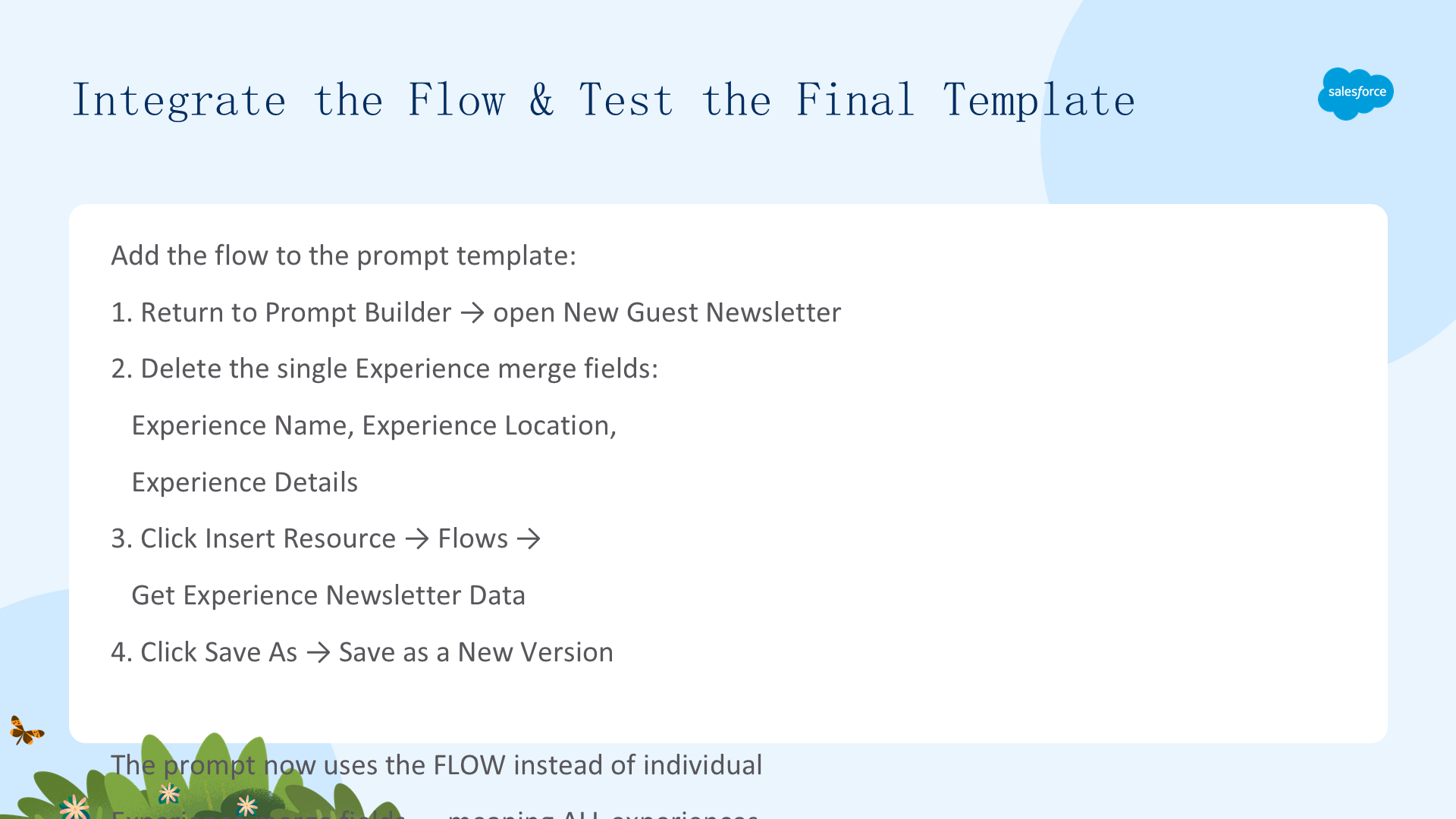
🔹 将 Flow 添加到 Prompt Template
- 返回 Prompt Builder → 打开 New Guest Newsletter
- 删除三个单独的 Experience Merge Fields(Experience Name、Location、Description)
- 点击 Insert Resource → Flows → Get Experience Newsletter Data
- 点击 Save As → Save as a New Version
🔹 测试最终效果
- Preview: Reservation 输入
er选择任意预订,Experience 输入Family选择 Family Karaoke Night - 点击 Preview → 响应现在同时包含 Family Karaoke Night 和 Sunrise Yoga!
- 点击 Activate 激活模板
Flow 获取所有体验数据 → Loop 格式化每个活动 → Prompt Instructions 将完整数据传递给 Prompt Builder → 生成更丰富、更完整的通讯。Flex Template + Template-Triggered Prompt Flow = 强大、可扩展的 AI 内容生成,能够动态处理多条记录。
资源
核心要点回顾:
- Flex Template 是最灵活的 Prompt Builder 模板——任意对象、任意交付方式(Apex/Flow/API/Agentforce)
- Merge Fields 动态拉取 CRM 数据(客人姓名、日期、房型、活动详情)实现个性化
- Template-Triggered Prompt Flow 通过 Get Records → Loop → Add Prompt Instructions 将多条记录格式化为 Prompt 可用的数据
- 用 Flow 替换单个 Merge Fields,使通讯从"一个活动"升级为"所有活动"
推荐资源:
- Salesforce Help: How Users Work with a Prompt Template
- Trailhead: Prompt Fundamentals
- Trailhead: Prompt Builder Basics
- Trailhead: Flow Builder Basics
文章来源:Trailhead - Quick Start: Create a Prompt Builder Flex Template