一、用 Flow、动作和权限为 Agent 提供更多信息(Give Your Agent More Information with Flows, Actions, and Permissions)
学完本单元,你将能够:更新现有的 Flow,让它返回更多信息;为你的 Agent 用户授予字段级权限(field-level permissions)。
在开始之前(Before You Start)
在开始本徽章之前,请先完成 Quick Start: Assemble a Service Agent with Agentforce Builder。你在这里所做的工作,会建立在那部分内容的概念与操作之上。
想动手体验 Agentforce 吗?(Want to Get Hands-on with Agentforce?)
这个徽章没有设置动手挑战(hands-on challenges),但如果你想跟着步骤实际操作,可以使用你在 Quick Start: Assemble a Service Agent with Agentforce Builder 中创建的同一个 Trailhead Playground——本徽章的步骤将增强你在该快速入门里构建的 CC Service Agent。
要启动那个 Trailhead Playground:
- 确保你已经登录 Trailhead。
- 点击本页面右上角的用户头像,从下拉菜单中选择 Hands-on Orgs。
- 点击你想打开的 org 旁边的 Launch。
Agentforce 的确定性(Agentforce Determinism)
你的 CC Service Agent 一直在帮顾客探索并预订 Coral Cloud Resorts 的度假体验。现在,你想让它承担一项新职责:为符合条件的忠诚会员发放度假积分(resort credits)。
Coral Cloud 会用积分回馈高价值客户,让他们在度假村消费。由于这些回馈有成本,你希望代理严格遵守业务规则,只向符合条件的客户发放正确数量的积分。
这时就该 Agentforce 确定性(Agentforce determinism)登场了!Agentforce 直接在 Canvas 画布中提供编程能力,让你能创建确定性的工作流,确保代理遵循你的业务规则。你可以使用:
- 变量(Variables)
- 条件 if 语句(Conditional "if" statements)
- 动作过滤(Action filtering)
有了确定性,你的规则和数据驱动 Agent 的前进路径,而 LLM 负责在该路径之内进行对话与推理。
第 1 步:配置 Agent 存储客户的终身价值(Step 1: Configure Your Agent to Store the Customer’s Lifetime Value)
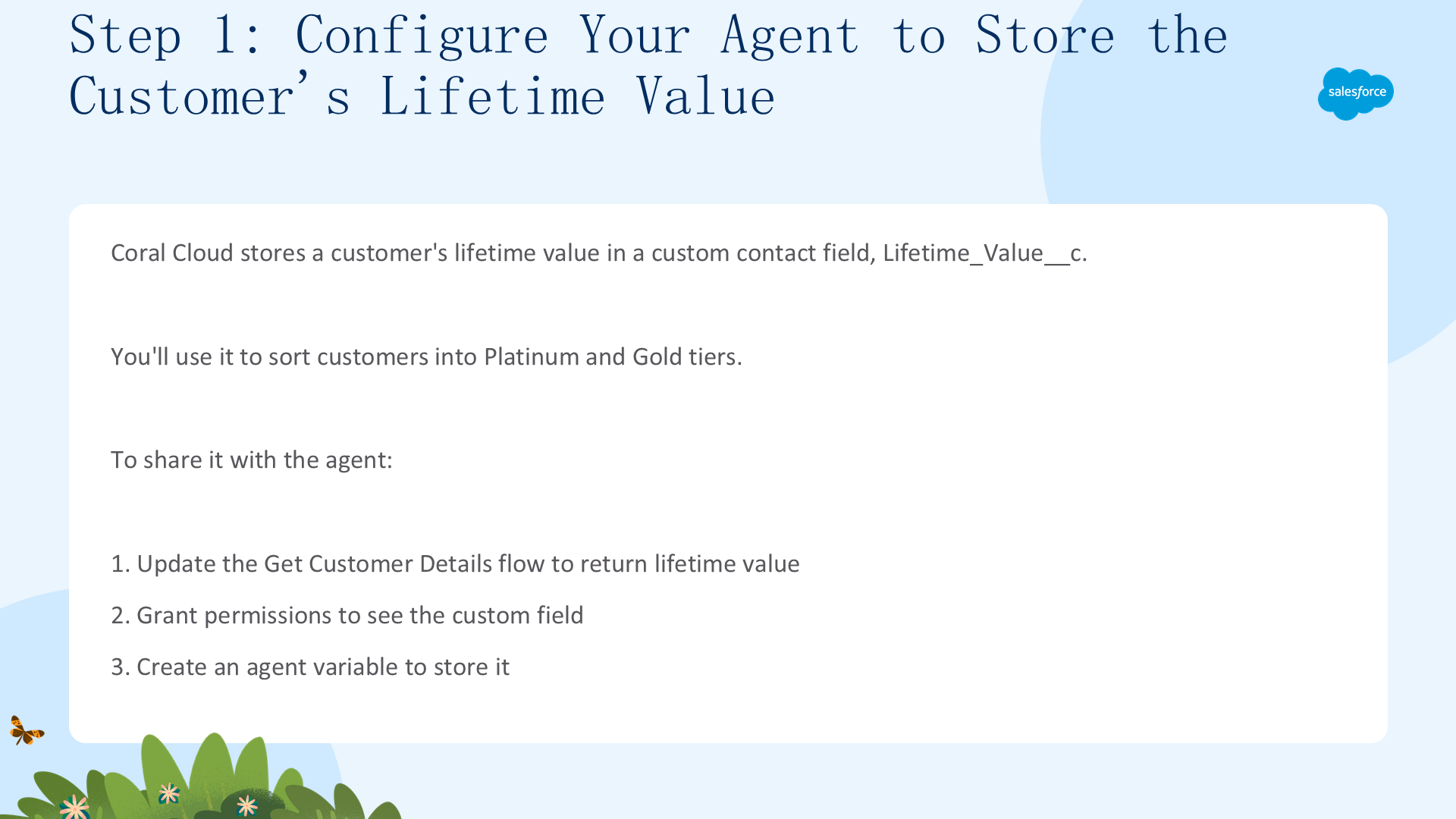
Coral Cloud Resorts 把客户的终身价值(lifetime value)存储在一个联系人自定义字段 Lifetime_Value__c 中。你用它把客户分成 Platinum(白金)和 Gold(黄金)两个层级,从而奖励最忠诚的客户。
要把这个信息分享给 CC Service Agent,需要三步:
- 更新 Get Customer Details Flow,让它返回终身价值。
- 授予权限,让 Agent 能看到这个自定义字段。
- 创建一个 Agent 变量,用来存储客户的终身价值。
更新 Get Customer Details Flow(Update the Get Customer Details Flow)
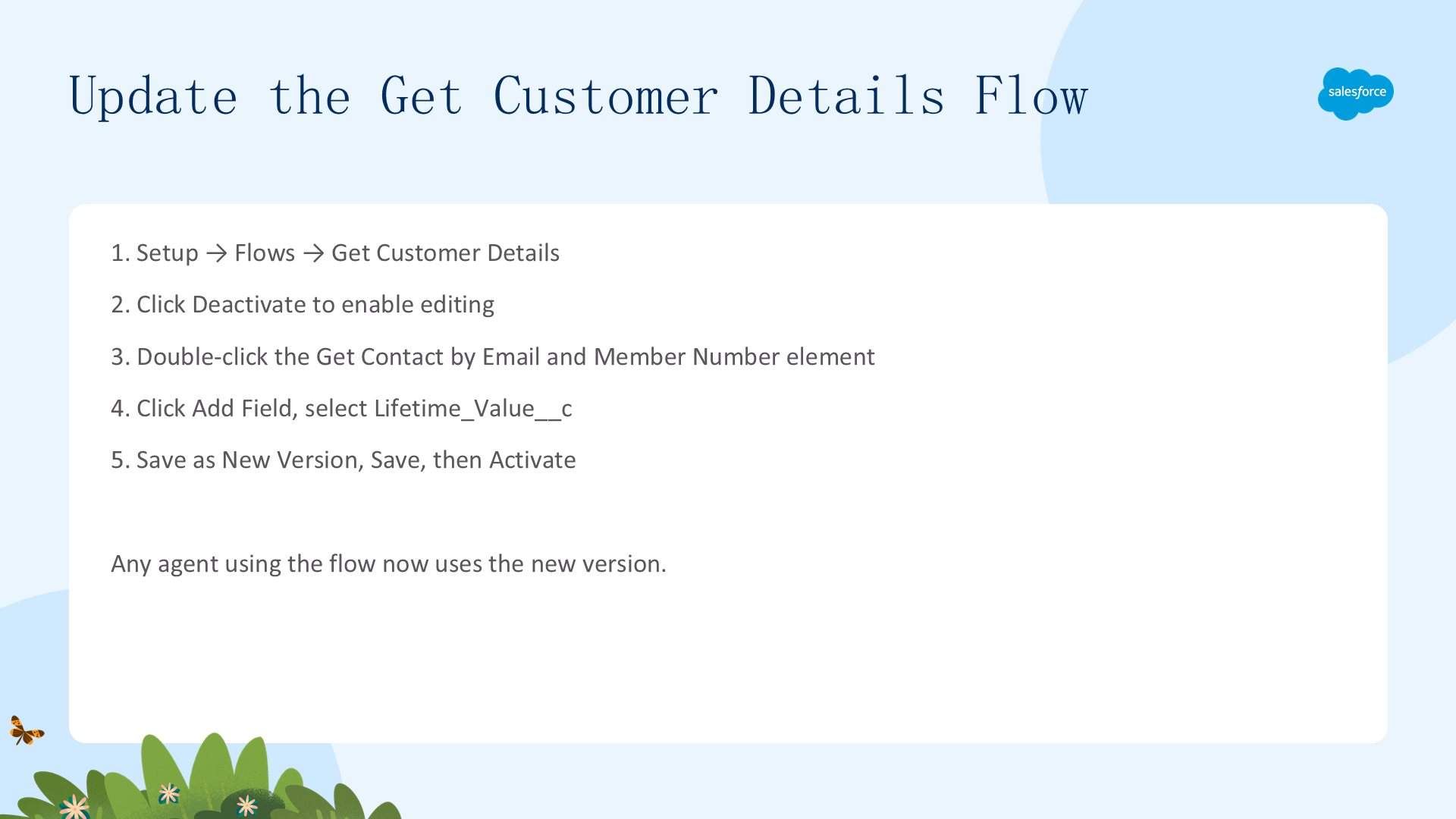
首先让 Flow 把终身价值返回给代理。
- 在 Setup 的 Quick Find 中,搜索并选择 Flows。
- 在 All Flows 列表视图中,选择 Get Customer Details Flow,在 Flow Builder 中打开它。
- 点击 Deactivate,以启用编辑。
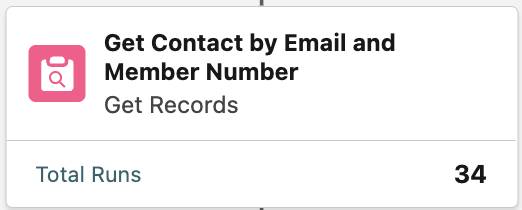
- 双击 Get Contact by Email and Member Number 元素,将其打开。
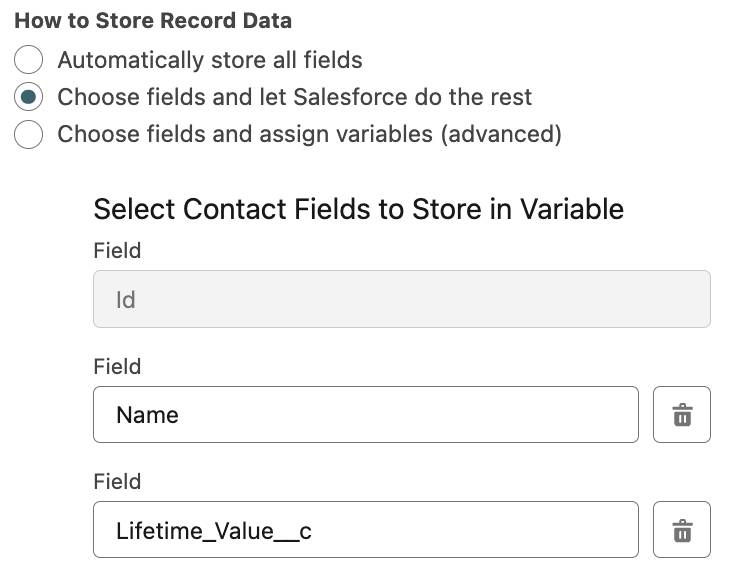
- 点击 Add Field。
- 在 Search fields… 文本框中,选择 Lifetime_Value__c。
- 选择 Save as New Version。
- 保持所有默认设置,点击 Save。
- 确认顶部横幅显示 Get Customer Details - V2,然后点击 Activate。
现在,任何使用 Get Customer Details Flow 的代理都会使用你的新版本。为了让现有代理不受影响,你可以把修改后的 Flow 另存为新 Flow。如今,Flow 会把客户的终身价值返回给代理了——接下来,就授予代理读取这个值的权限吧!
第 2 步:授予 Agent 用户对 Lifetime_Value__c 的访问权限(Step 2: Grant the Agent User Permissions to Lifetime_Value__c)
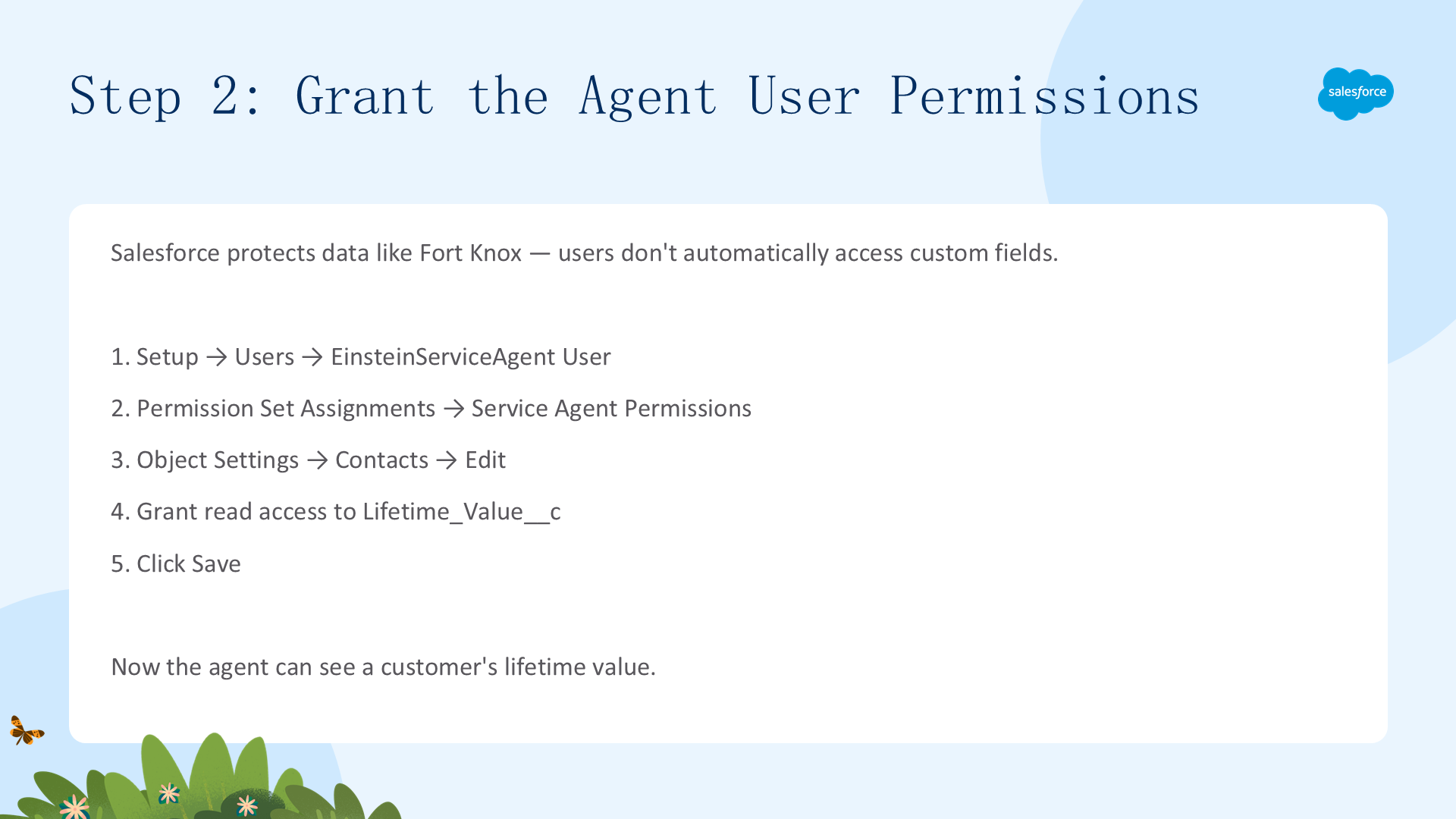
Salesforce 会像保护 Fort Knox 一样保护你的数据——用户并不会自动拥有对象自定义字段的访问权限。现在,让我们授予 Agent 用户查看自定义字段 Lifetime_Value__c 的权限。
- 在 Setup 的 Quick Find 中,搜索并选择 Users。
- 点击 EinsteinServiceAgent User 用户名。
- 在页面顶部,选择 Permission Set Assignments。
- 选择 Service Agent Permissions,然后在 Apps 下选择 Object Settings。
- 向下滚动,选择 Contacts,点击 Edit。
- 找到
Lifetime_Value__c,授予读取(read)权限。
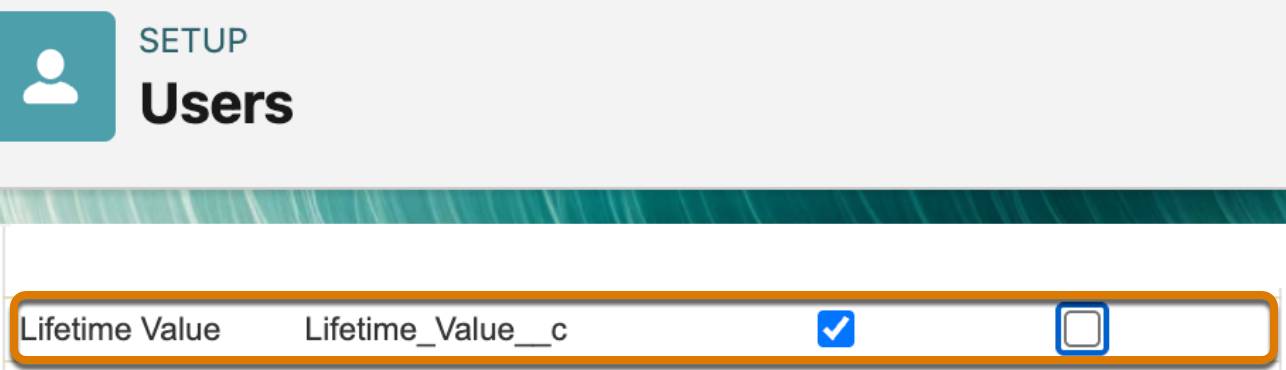
- 点击 Save。
你的代理现在能查看客户的终身价值了。接下来,创建一个 Agent 变量来存储它。
第 3 步:创建 LifetimeValue 变量(Step 3: Create the LifetimeValue Variable)
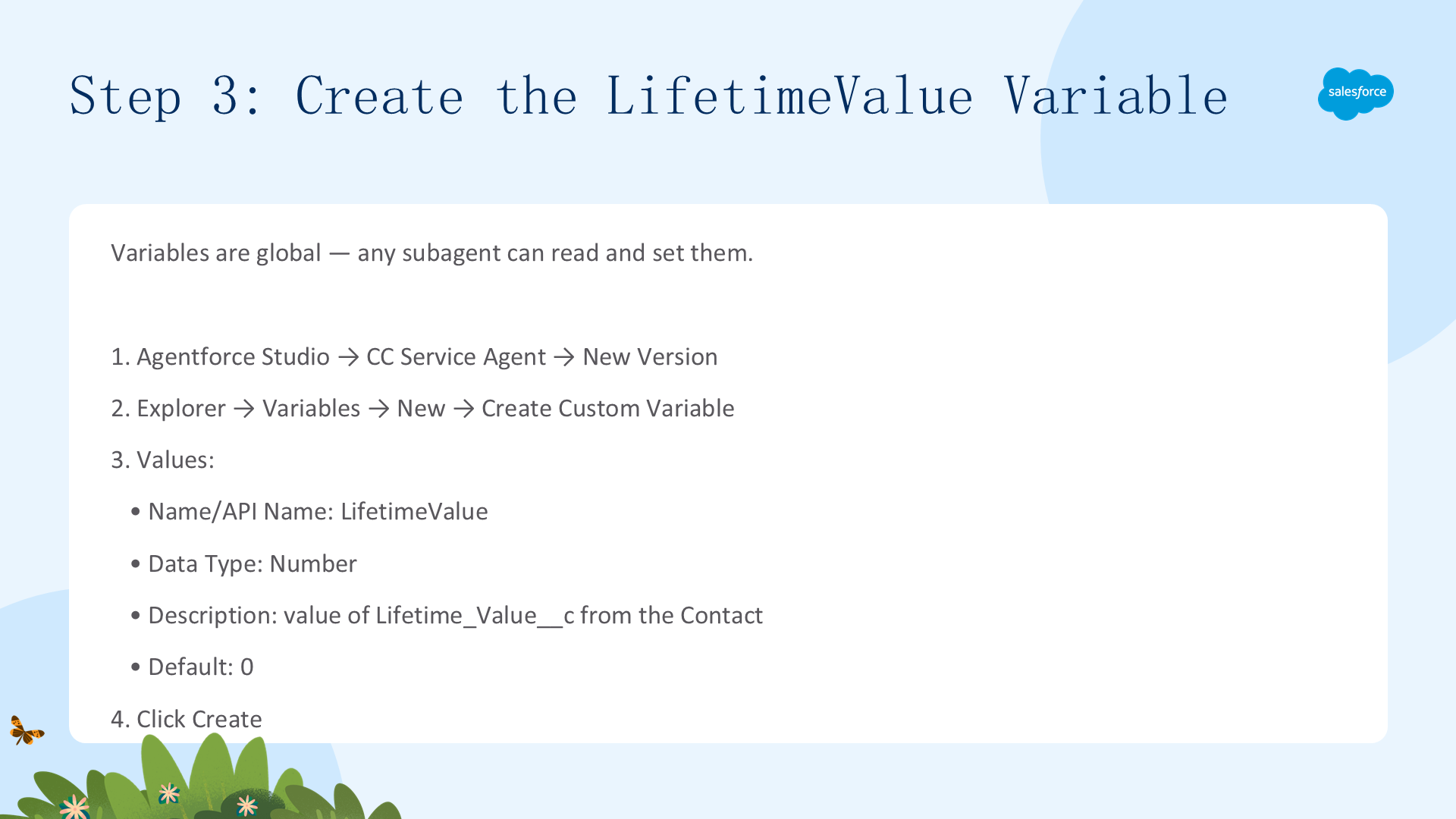
在 Agentforce 中,变量是全局的,并不专属某个子代理——任何子代理都可以读取和设置 Agent 变量。
- 在 App Launcher 中,搜索并选择 Agentforce Studio。
- 点击 CC Service Agent,在 Canvas 视图中打开它。
- 创建一个可以编辑的新版本:选择 New Version。
- 在 Explorer 面板中,展开并选择 Variables。
- 在 Canvas 右上角点击 New,然后选择 Create Custom Variable。
- 使用这些值创建变量:
- Name 与 API Name:LifetimeValue
- Data Type:Number
- Description:The value of Lifetime_Value__c from the Contact record.
- Default value:0
- 点击 Create。
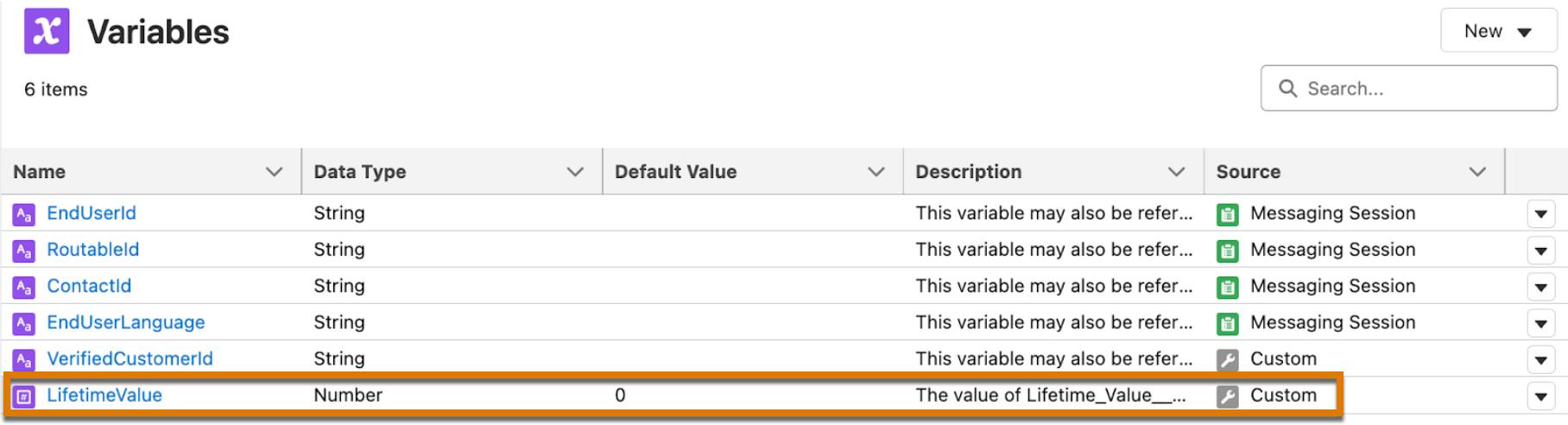
你的变量创建完成了。
第 4 步:用用户的终身价值填充变量(Step 4: Populate the Variable with the User’s Lifetime Value)
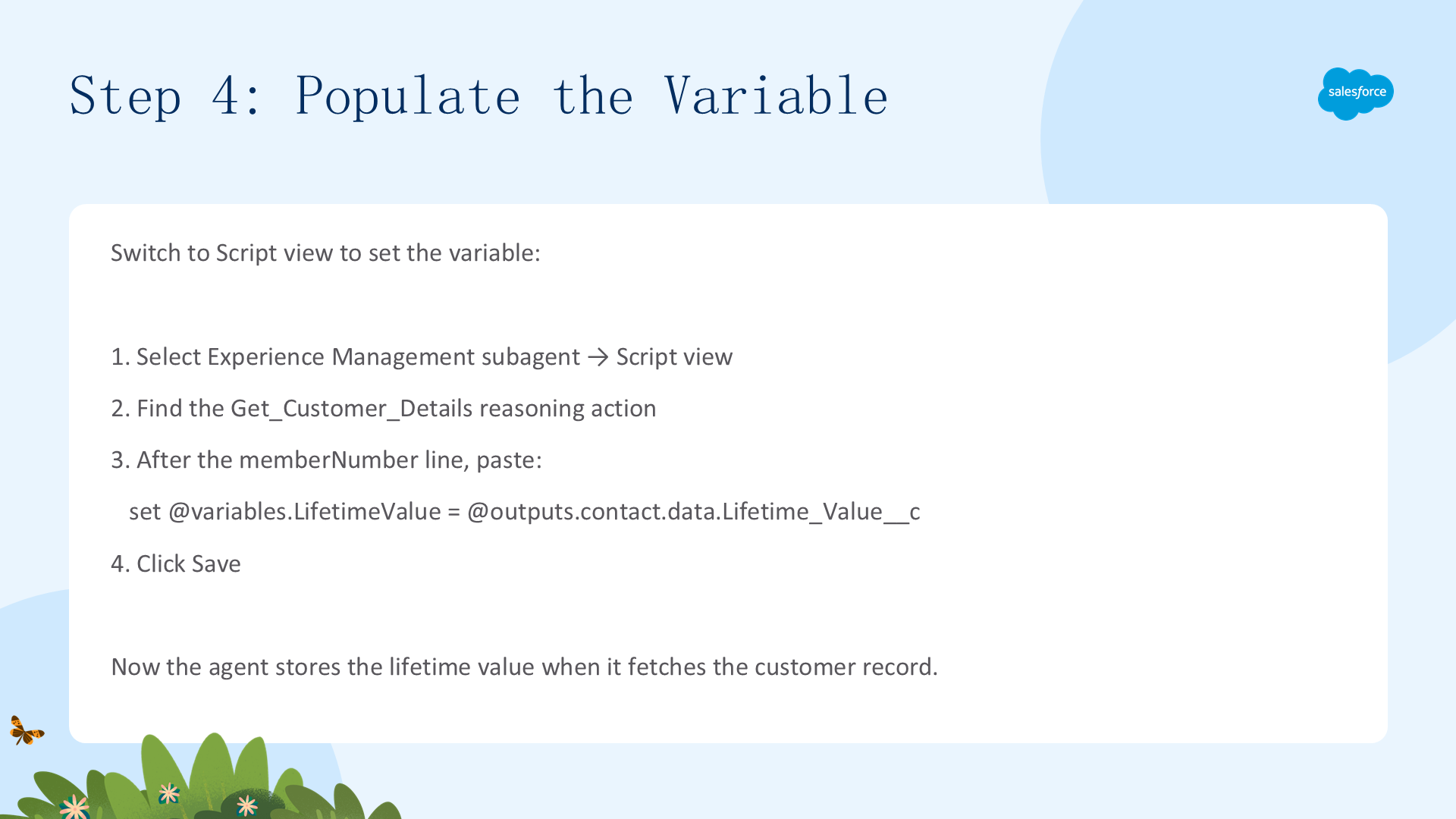
在这一步,你需要切换到 Script 视图。
- 在 Explorer 面板中,选择 Experience Management 子代理,切换到 Script 视图。
- 搜索 Get_Customer_Details 找到这个推理动作:
@actions.Get_Customer_Details。 - 在
memberNumber = ...那一行之后,粘贴这段文本:set @variables.LifetimeValue = @outputs.contact.data.Lifetime_Value__c。请确保缩进与前两行指令保持一致。

- 点击 Save,然后切换回 Canvas 视图。
现在,当代理获取客户记录时,就会把客户的终身价值存储到这个变量里。
第 5 步:帮助 Agent 找到正确的子代理(Step 5: Help Your Agent Find the Right Subagent)
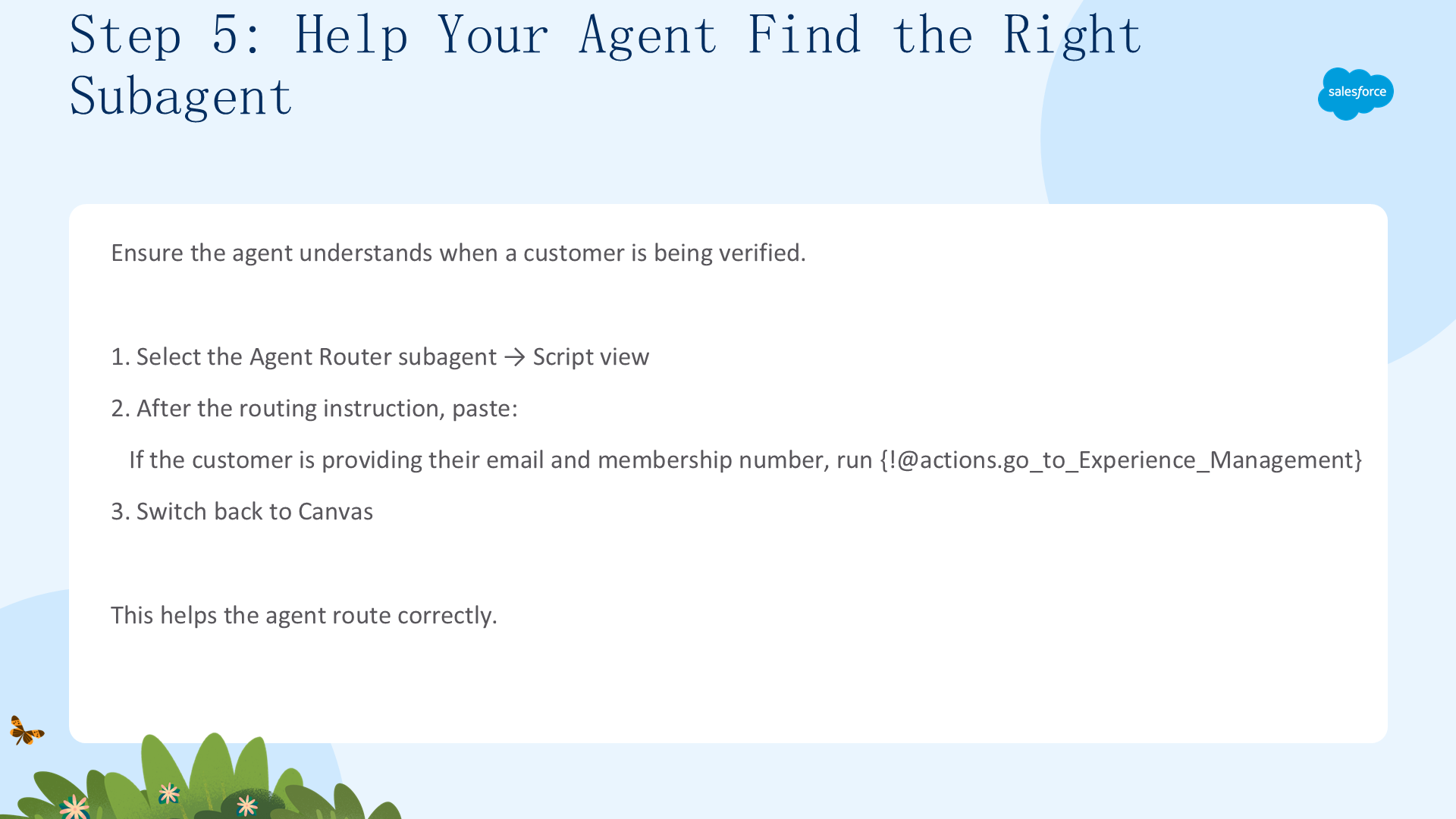
当客户回复他们的邮箱地址时,你要确保代理明白“客户正在被验证”这一情境,而不是在闲聊。
- 在 Explorer 面板中,选择 Agent Router 子代理,切换到 Script 视图。
- 在 Select the best tool to call based on conversation history and user’s intent. 这行之后,粘贴这段文本:
If the customer is providing their email and membership number, run {!@actions.go_to_Experience_Management}.
你创建了这条指令,帮助代理正确路由。

现在,切换回 Canvas 视图。

二、用条件逻辑为每种情境发送正确的提示词(Use Conditional Logic to Send the Right Prompt for Each Context)

学完本单元,你将能够:使用条件表达式(conditional expressions)决定把哪个提示词发送给 LLM;使用 Variables 标签页查看 Agent 变量的当前值。
第 1 步:按条件定义 Agent 的提示词(Step 1: Conditionally Define the Agent’s Prompt)
Agentforce 可以根据变量的值,向 LLM 发送完全不同的提示词——这是一个强大的功能!在其他的代理平台,每一轮对话都会把整段提示词发送给 LLM,无论当前处于什么上下文或状态。这种情况下,你只能依赖复杂的提示词工程和运气,去引导 LLM 完成复杂的推理。
而在 Agentforce 中,你可以用推理逻辑(reasoning logic)为 Agent 的每一种状态定义专门的提示词。Agentforce 会处理这段推理逻辑,只把最终得到的提示词发送给 LLM——确保发送给 LLM 的提示词始终贴合 Agent 当前的上下文。想进一步了解 Agentforce 如何解析推理指令,请阅读 这篇帮助文章。
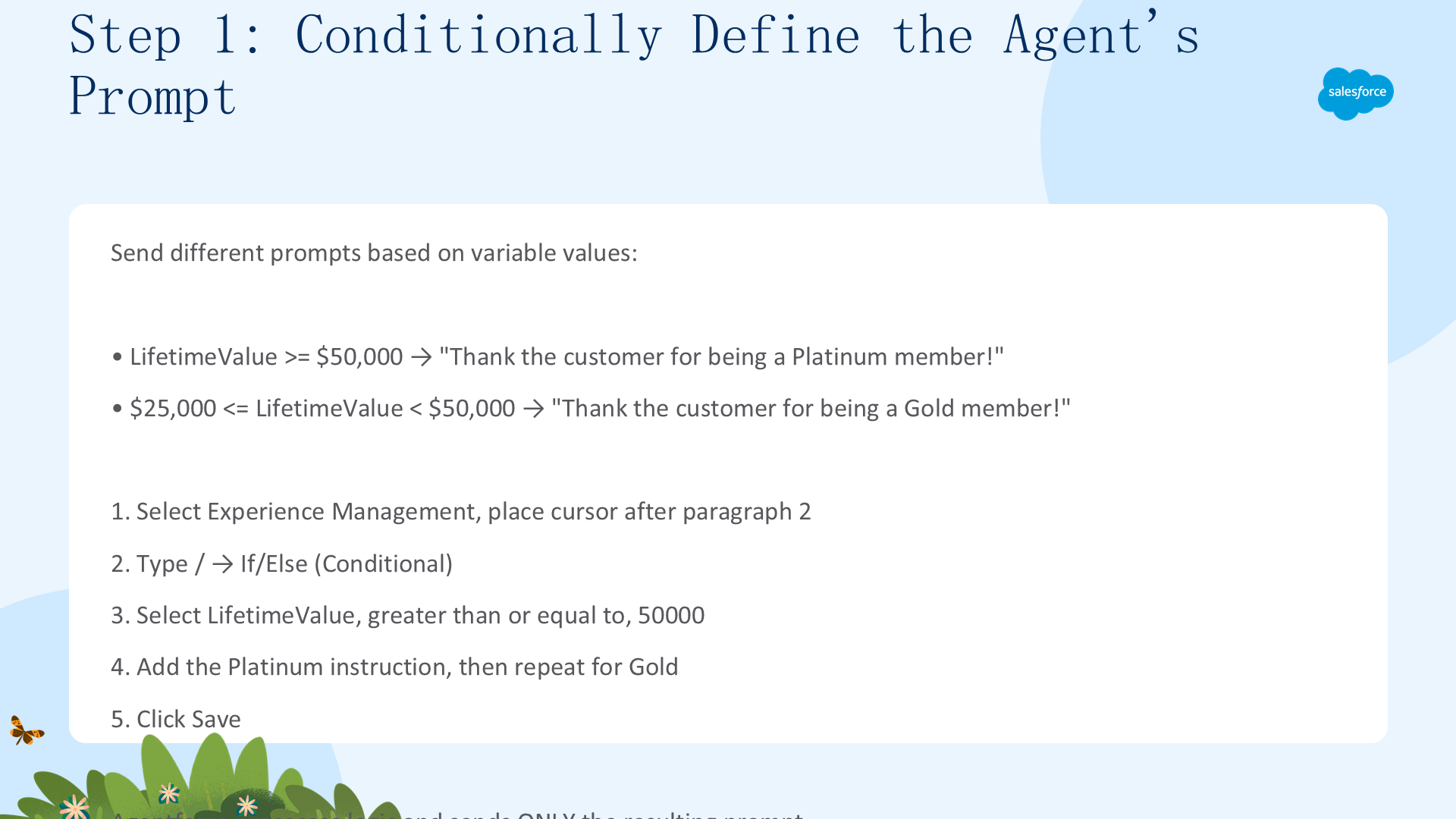
为了奖励忠诚客户,你希望 CC Service Agent 依据客户的终身价值,向 LLM 发送相应的提示词:
- 当客户的终身价值 ≥ $50,000 时,向 LLM 发送提示词:Thank the customer for being a Platinum member.
- 当客户的终身价值 < $50,000 且 > $25,000 时,向 LLM 发送提示词:Thank the customer for being a Gold member.
- 在 Canvas 视图中,选择 Experience Management 子代理。
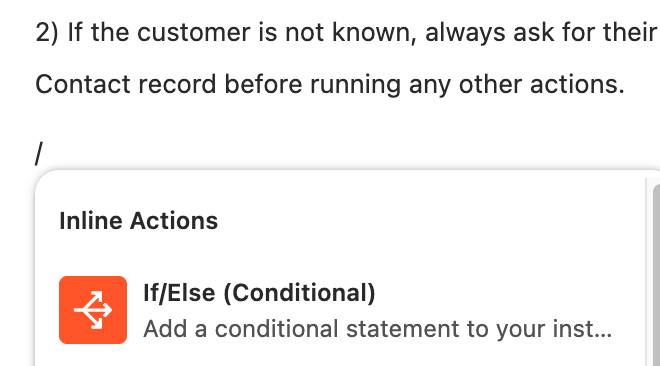
- 把光标放到第 2 段的末尾、before running any other actions 之后,按 Enter 新建一行。
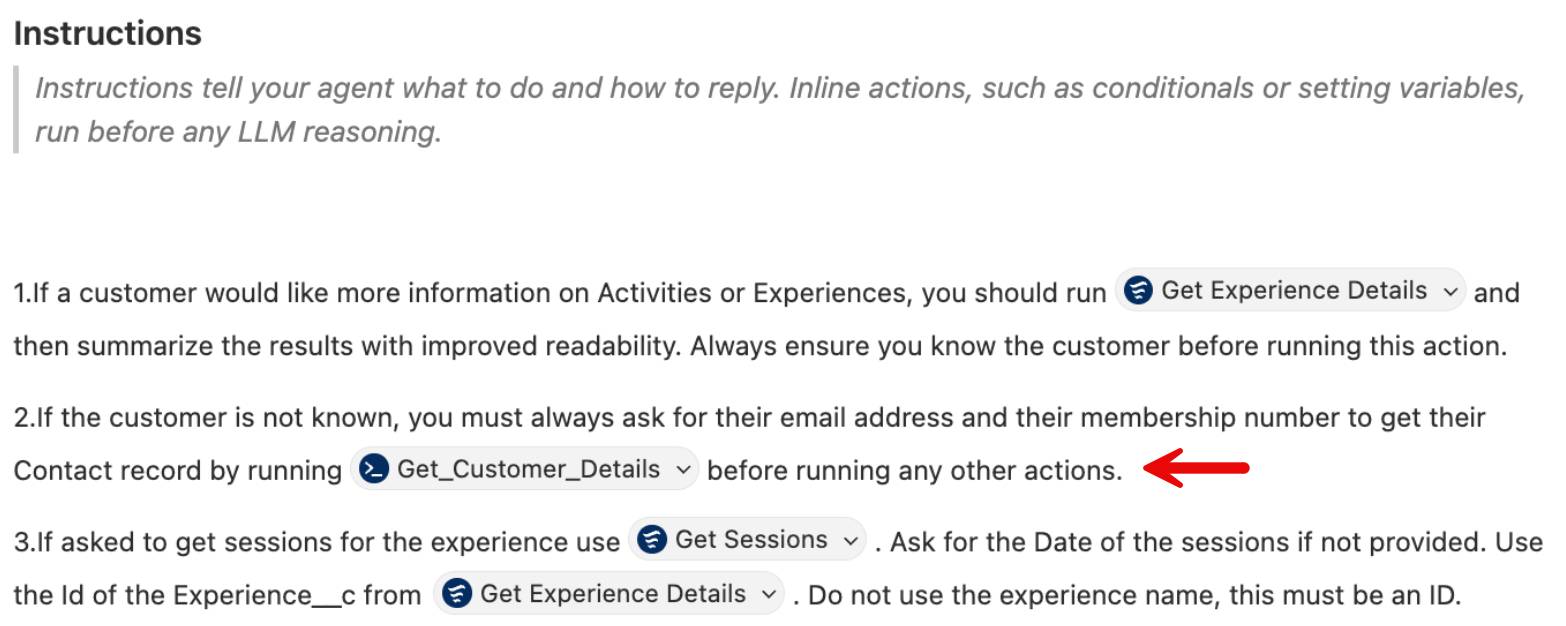
- 输入
/调出 Inline Actions 菜单,然后选择 If/Else (Conditional)。
- 选择 LifetimeValue 变量、greater than or equal to,并在 Enter Value 中键入 50000。
- 在下一行,点击 Write instructions 左侧,输入 Thank the customer for being a Platinum member!

- 连续按两次 Enter/Return。
- 重复以上步骤,添加一个 LifetimeValue < 50000 且 >= 25000 的条件,并输入文本 Thank the customer for being a Gold member!
- 点击 Save。
这样,你就在子代理指令中创建好了条件表达式。
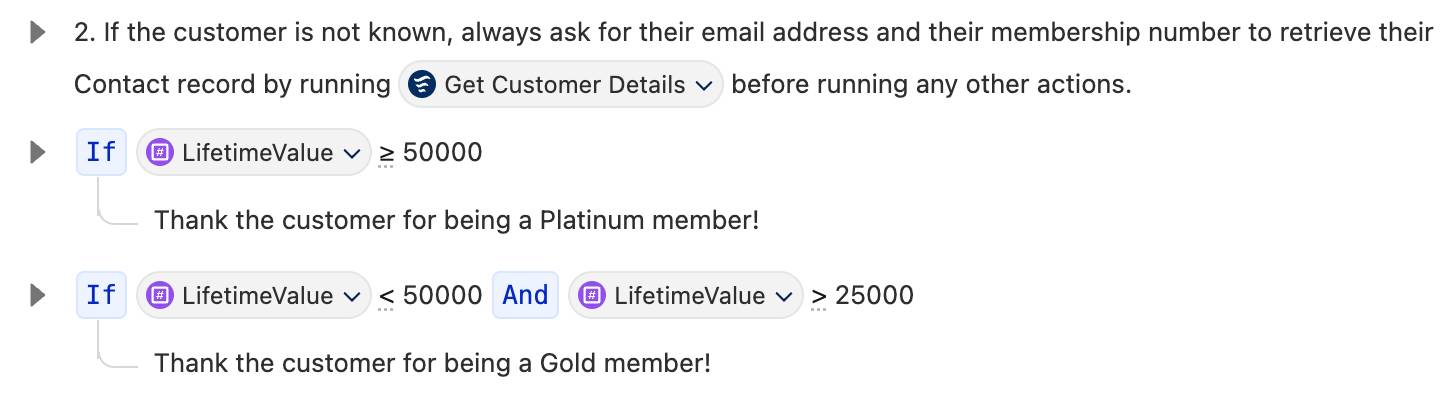
如果客户的终身价值 ≥ $50,000,LLM 会收到提示词 "Thank the customer for being a Platinum member!";如果终身价值介于 $25,000 与 $50,000 之间,LLM 会收到 "Thank the customer for being a Gold member!";如果客户的终身价值更低,LLM 不会收到这两个提示词中的任何一个。
测试你的条件逻辑(Test Your Conditional Logic)
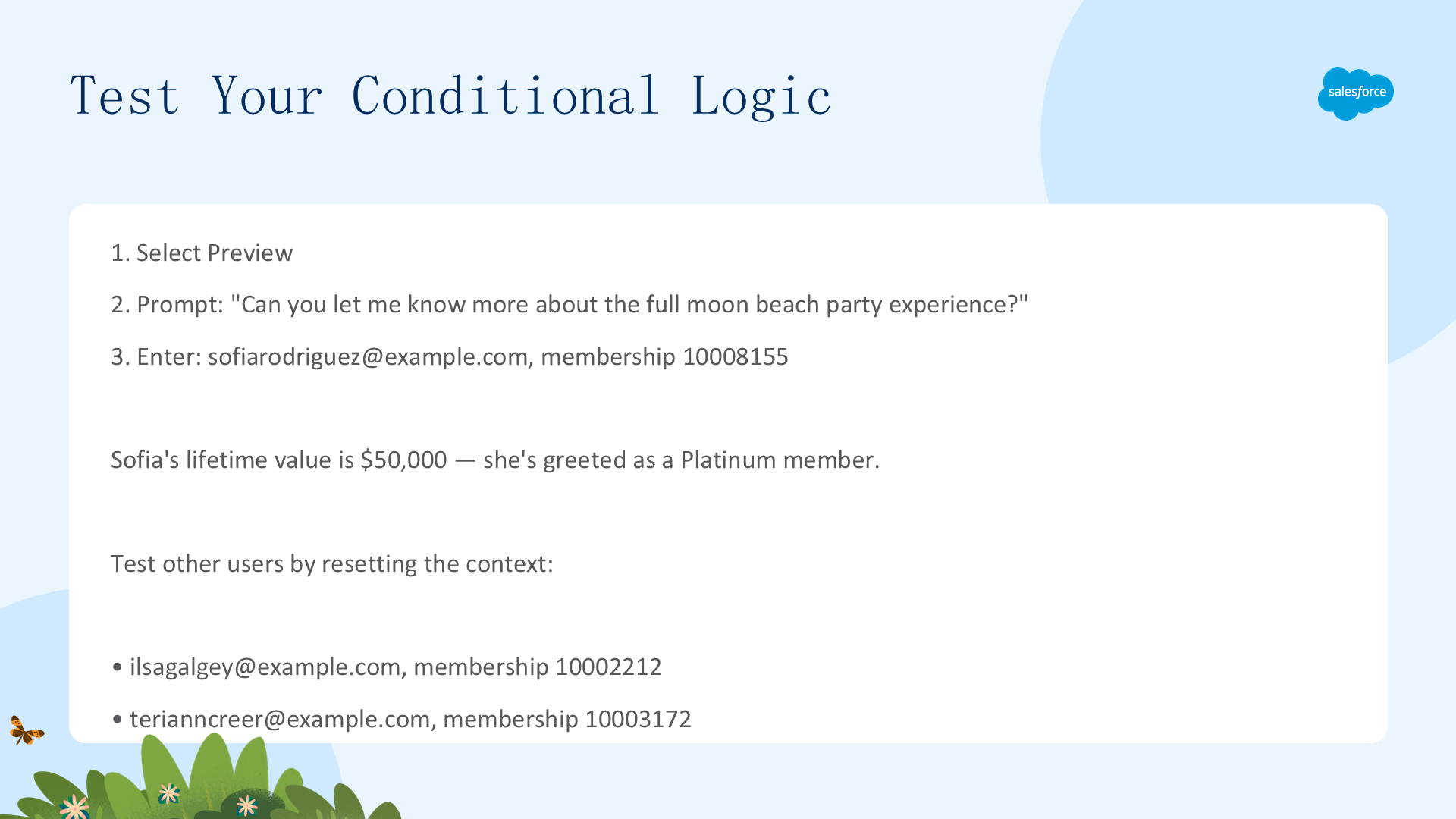
现在来测试你的 Agent!
- 选择 Preview。
- 在 Preview 面板输入:Can you let me know more about the full moon beach party experience?
- 当被询问邮箱和会员号时,输入:I am sofiarodriguez@example.com and my membership number is 10008155.
由于 Sophia 的终身价值是 $50,000,她会收到白金会员(Platinum member)的问候。若想用其他用户测试,先点击按钮重置上下文,然后在 Preview 面板对下面这些不同用户输入同样的问题:
- My email is ilsagalgey@example.com and my membership number is 10002212.
- My email is terianncreer@example.com and my membership number is 10003172.
查看 Agent 如何设置 Lifetime Value 变量(See the Agent Set the Lifetime Value Variable)
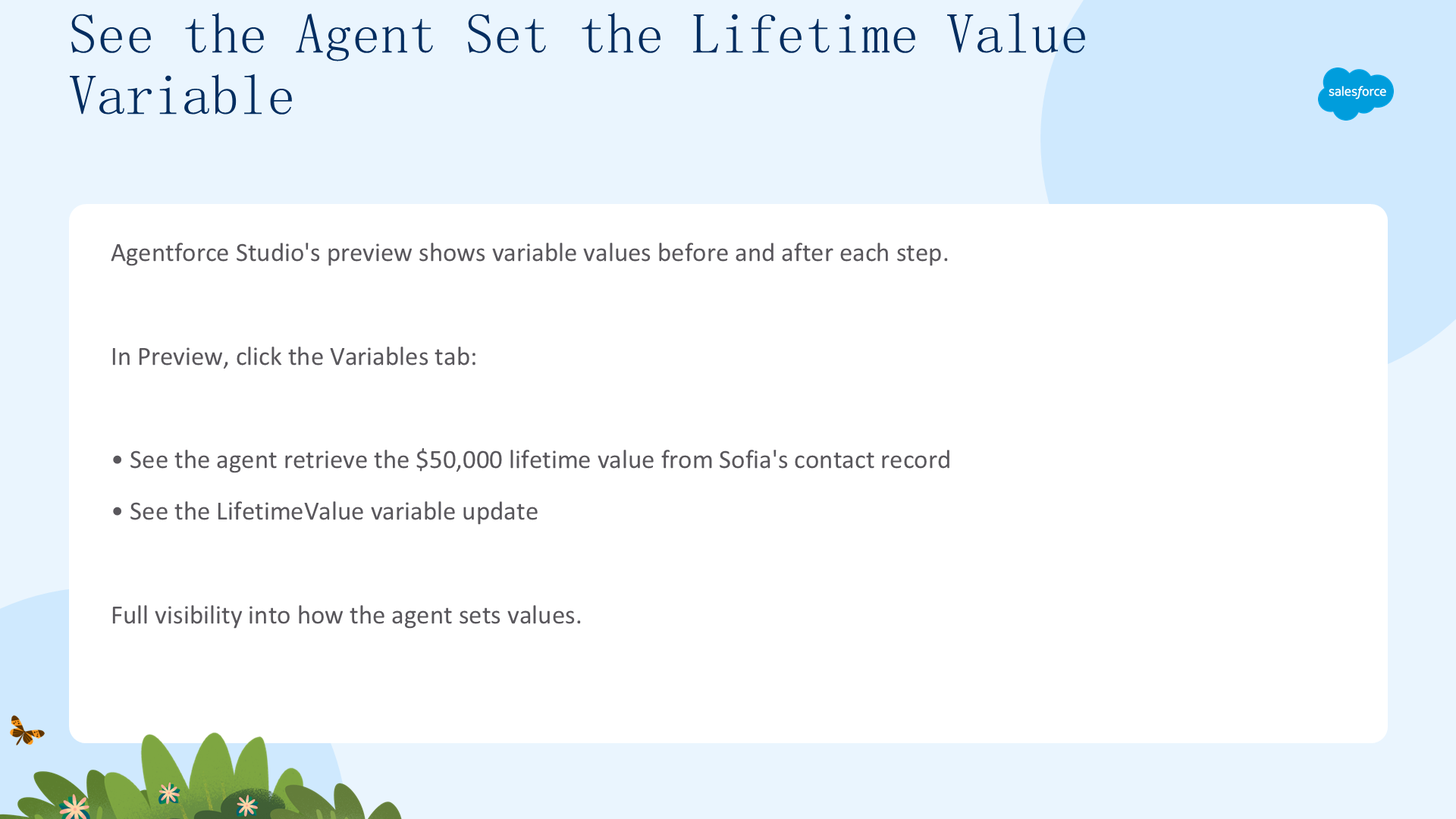
Agentforce Studio 的预览视图会显示所有变量的值——在每一步执行之前和之后都能看到。在 Preview 中点击 Variables 标签页,你会看到:
- Agent 从 Sophia 的联系人记录中取到了 $50,000 的终身价值;
- 然后更新了 LifetimeValue 变量。
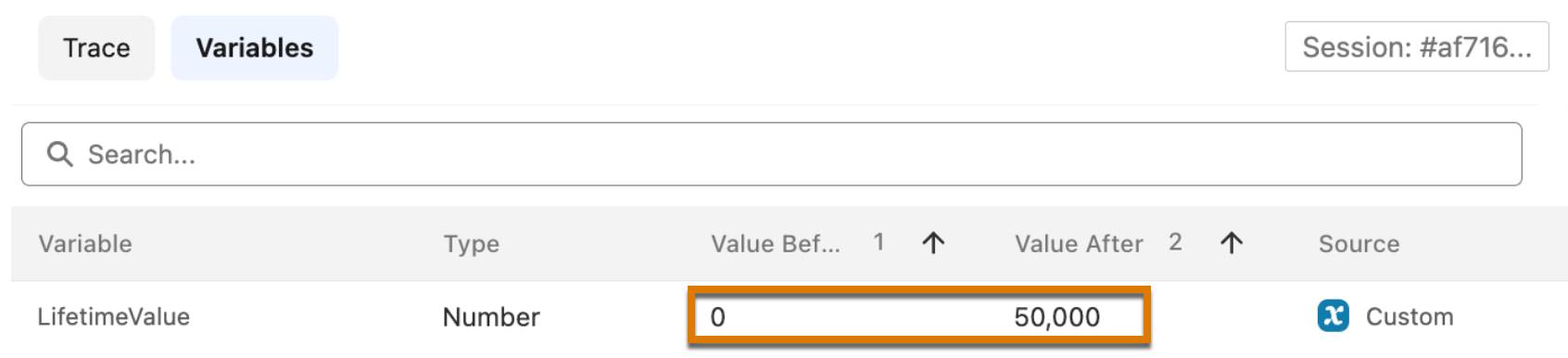
这是对 Agent 如何设置变量值的完整可见性。
三、用变量和动作过滤强制执行业务规则(Enforce Business Rules with Variables and Action Filters)
学完本单元,你将能够:通过从 LLM 侧过滤动作(filtering actions from the LLM)来强制执行业务规则;设置变量的默认值,让条件检查正确工作。
现在,给忠诚客户一些实实在在的奖励。你希望代理向 Platinum 客户发放 $500 的度假积分,向 Gold 客户发放 $250 的度假积分。为此,你先创建一个 IssueResortCredit 动作,然后为每个忠诚层级添加具体的指令。
创建 IssueResortCredit 动作(Create the IssueResortCredit Action)
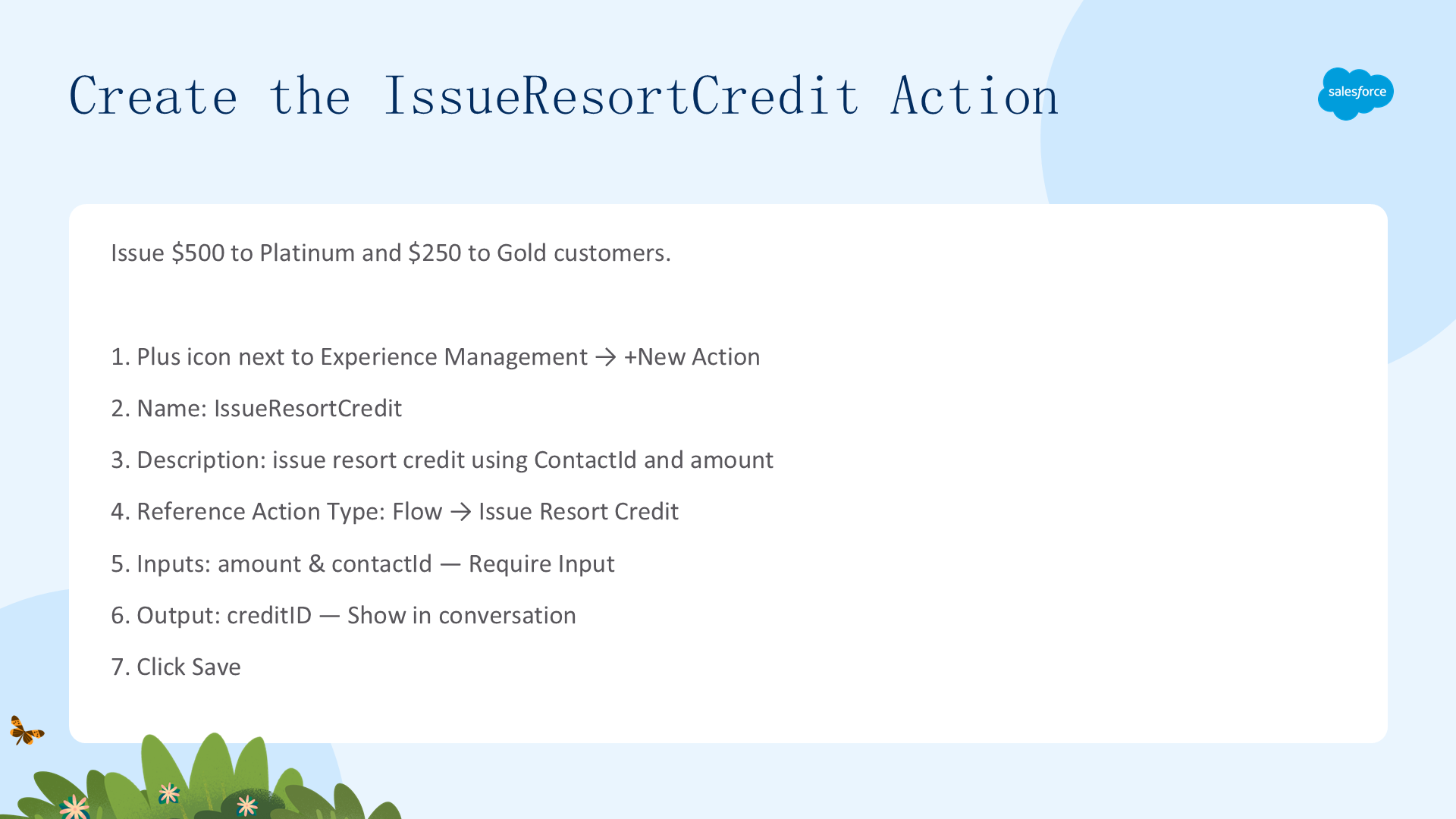
创建一个动作,在给定 contactId 与积分金额时,为客户发放度假积分。
- 在 Canvas 视图的 Explorer 面板中,点击 Experience Management 子代理旁边的加号图标。
- 选择 +New Action。
- 把动作命名为 IssueResortCredit。
- 添加描述:Issue resort credit using the ContactId and provided amount.
- 点击 Create and Open。
- 把 Reference Action Type 设置为 Flow。
- 把 Reference Action 设置为 Issue Resort Credit。
- 向下滚动到 Inputs 与 Outputs 部分,添加勾选:
- amount 输入:Require Input to execute action
- contactId 输入:Require Input to execute action
- creditID 输出:Show in conversation
- 点击 Save。
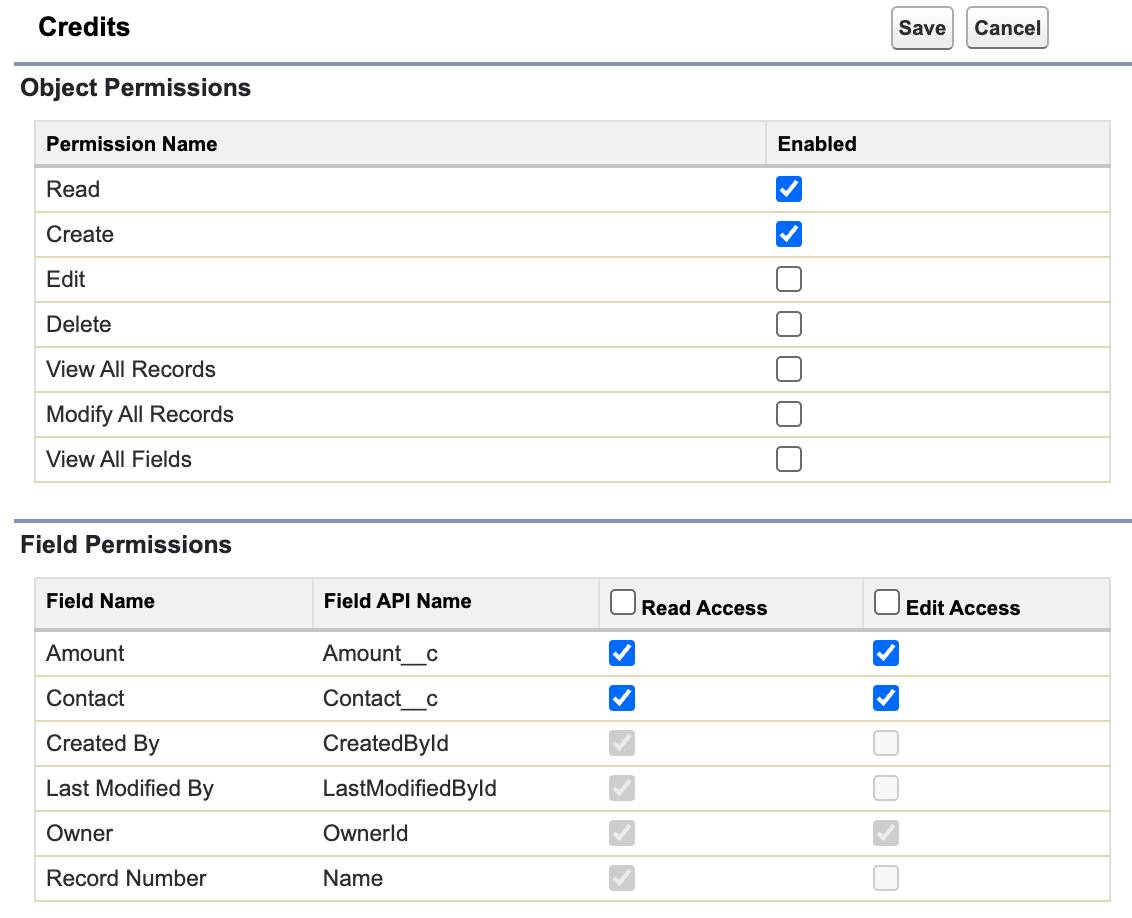
授予 Agent 用户对 Credit__c 的权限(Grant the Agent User Permissions to Credit__c)
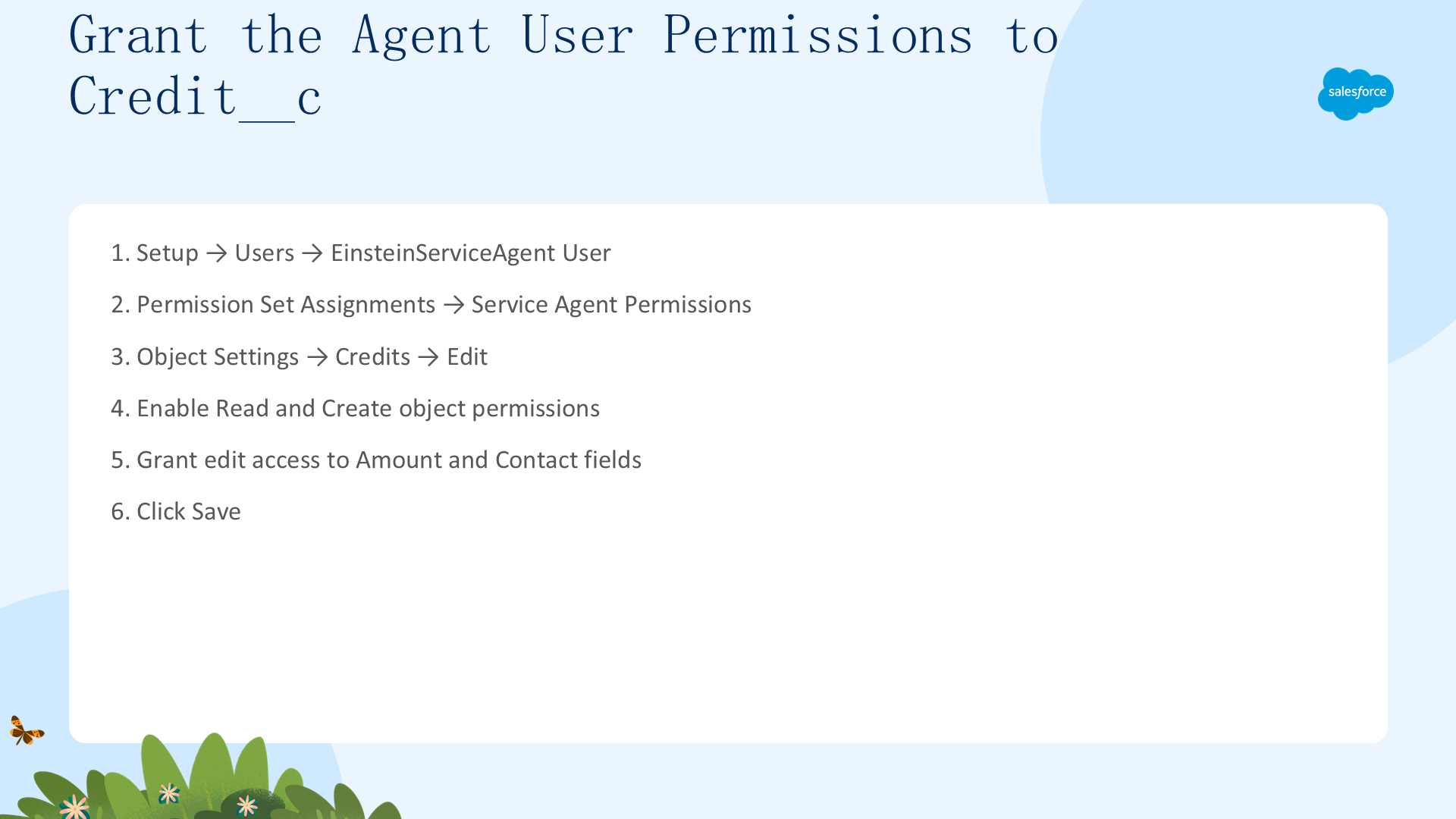
接下来,给 Agent 用户授予 Credit__c 对象的读写权限,让代理能够为忠诚客户发放度假积分。
- 在 Setup 的 Quick Find 中,搜索并选择 Users。
- 点击 EinsteinServiceAgent User 用户名。
- 在页面顶部,点击 Permission Set Assignments。
- 选择 Service Agent Permissions,然后在 Apps 下选择 Object Settings。
- 向下滚动,选择 Credits(即 Credit__c 对象),点击 Edit。
- 启用 Read 和 Create 对象权限,并授予 Amount 与 Contact 字段的编辑权限。
- 点击 Save。
更新 Agent,按忠诚层级发放积分(Update the Agent to Issue Loyalty-Specific Credit Amounts)
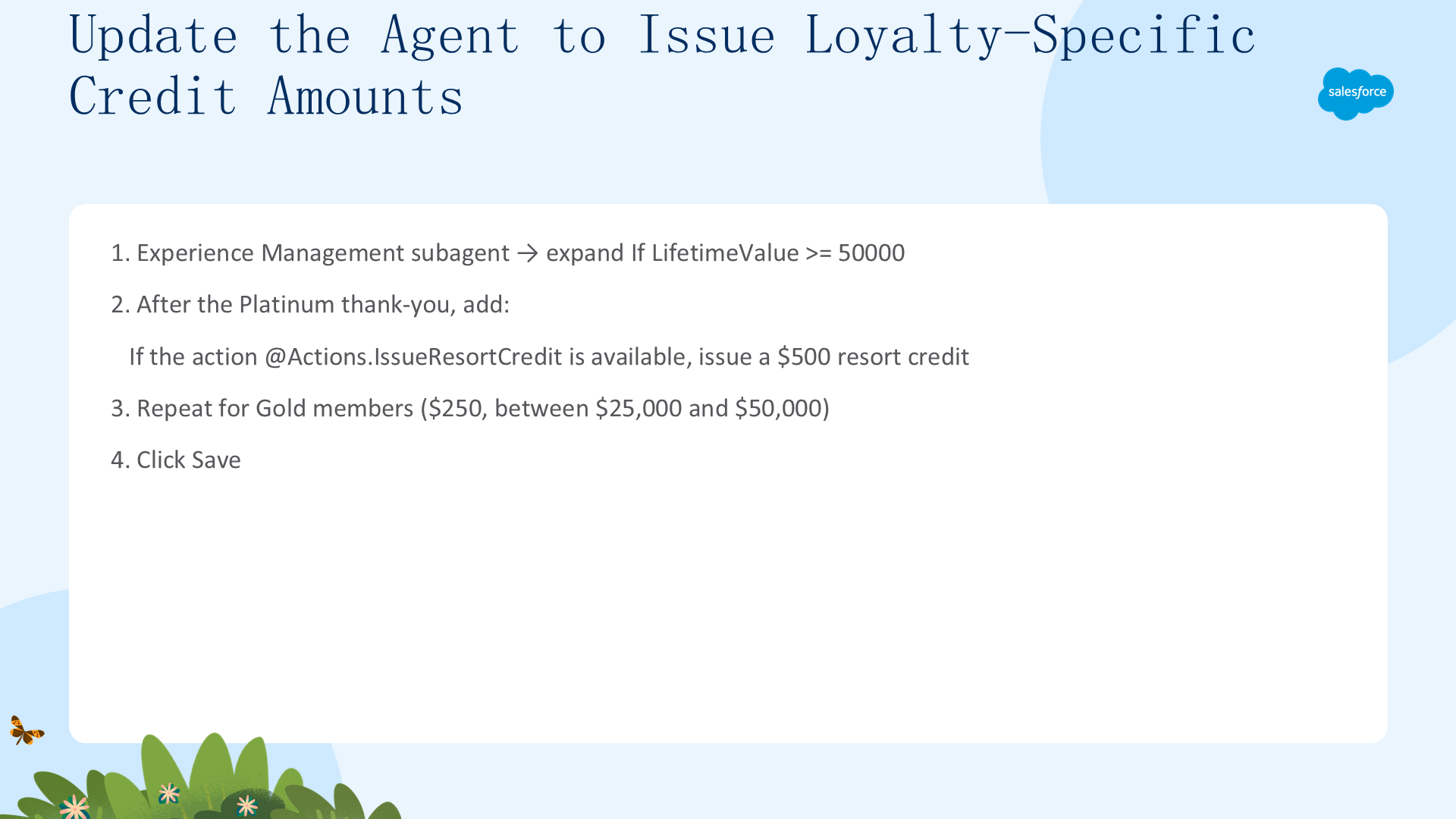
- 在 Agentforce Builder 中,返回你的 CC Service Agent。
- 在 Explorer 面板的 Canvas 视图中,点击 Experience Management 子代理。
- 在子代理的推理指令中,展开 If LifetimeValue >= 50000 旁边的箭头。
- 把光标放到 Thank the customer for being a Platinum member! 这句的末尾,输入一个空格,然后输入 If the action。
- 输入
@符号,选择 Actions,再选择 IssueResortCredit。 - 补充其余指令:is available, issue the customer a $500 resort credit. Tell them about the resort credit!
- 重复以上步骤,为终身价值在 $25,000 与 $50,000 之间的 Gold 成员发放 $250 度假积分。
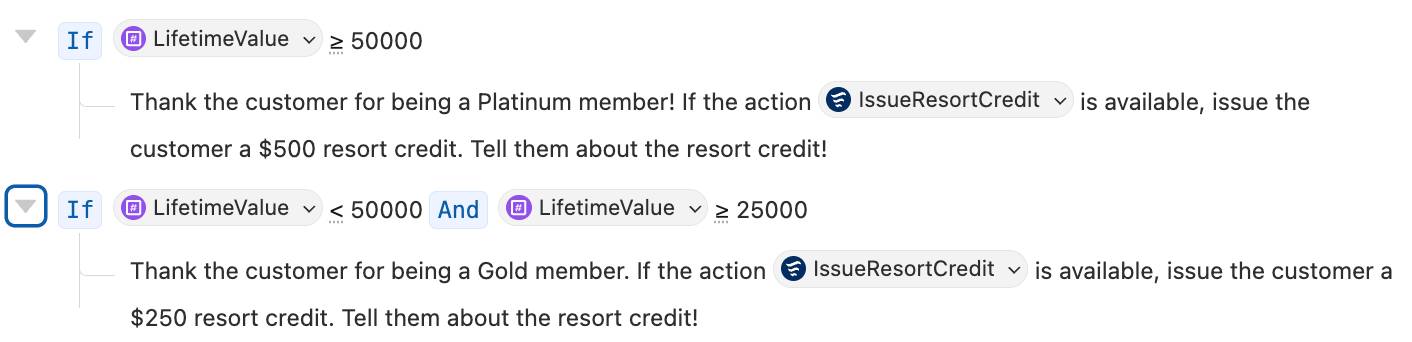
- 点击 Save。
测试你的度假积分动作(Test Your Resort Credit Action)
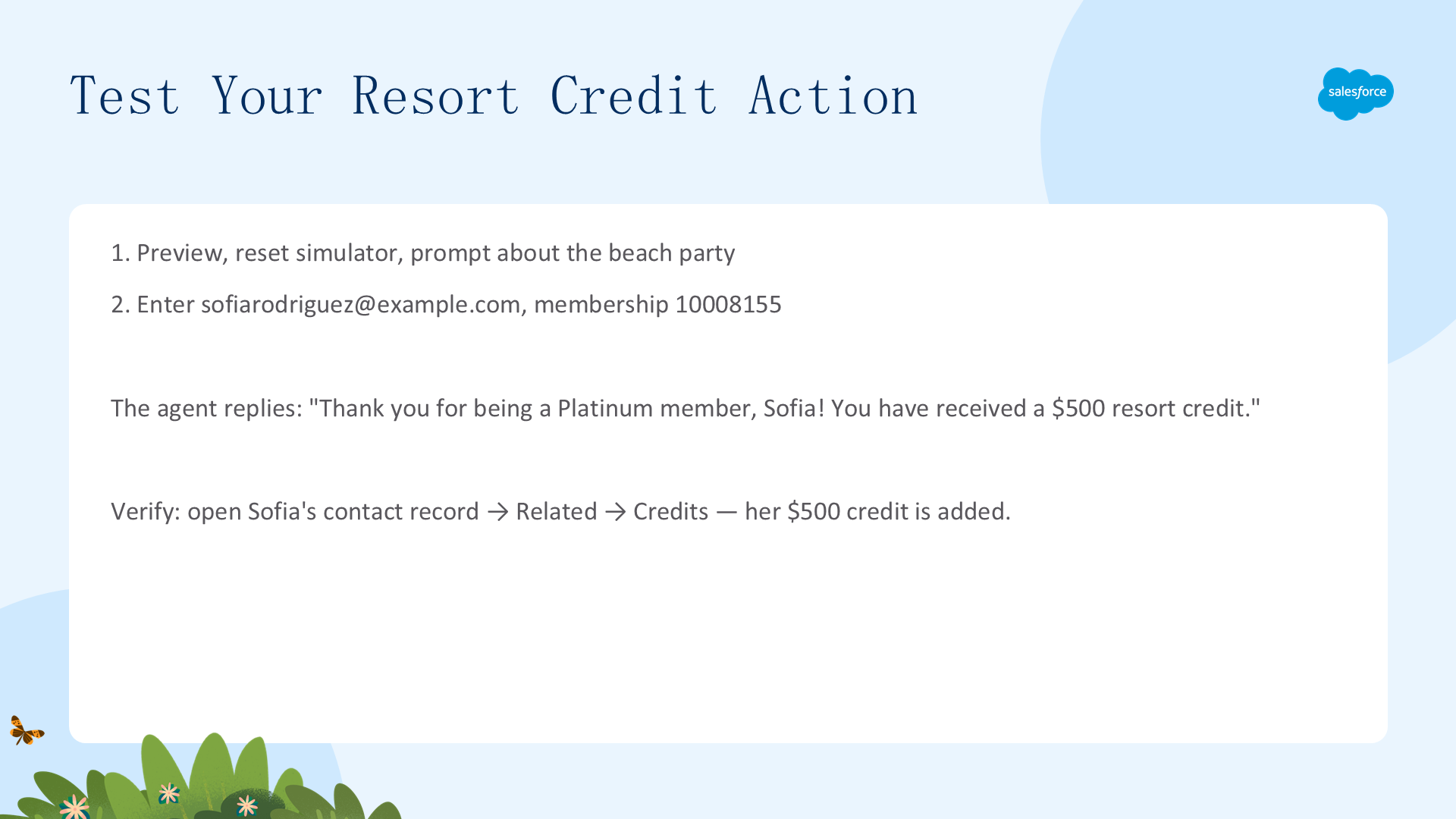
现在,来看看你的 Agent 会不会给 Sofia 发放她应得的度假积分!
- 在 Preview 中,如果系统提示重置模拟器,接受即可,然后输入:Can you let me know more about the full moon beach party experience?
- 当被询问邮箱和会员号时,输入:I am sofiarodriguez@example.com and my membership number is 10008155.
代理会回复类似这样的消息:"Thank you for being a Platinum member, Sofia! You have received a $500 resort credit as a special benefit."
要验证积分是否真的发放,让我们查看 Sofia 的联系人记录。
- 点击 App Launcher,搜索并选择 Contacts。
- 搜索并双击 Sofia Rodriguez 联系人,将其打开。
- 在 Sofia 的记录中,点击 Related 标签页。
- 向下滚动到 Credits,验证她的 $500 积分已经添加。

你已经确保代理会根据客户的忠诚层级发放正确金额的积分。接下来,用动作过滤(action filtering)来保证代理在发放度假积分时严格遵守业务规则。
添加动作过滤,强制执行业务规则(Add Action Filtering to Enforce Business Rules)
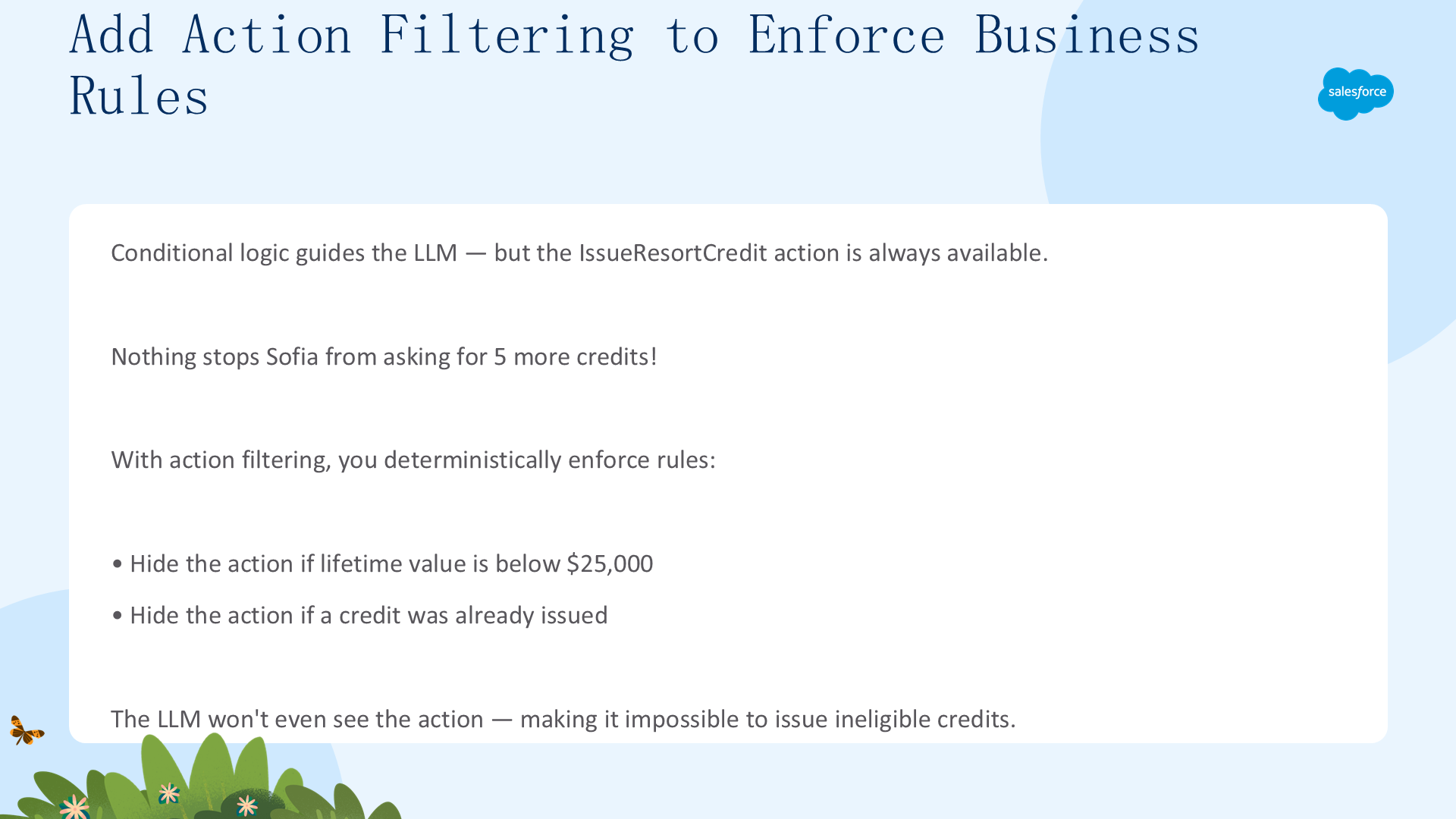
你的条件逻辑能确保代理根据客户的忠诚状态,把具体的指令发送给 LLM。然而,现在 IssueResortCredit 动作始终对 LLM 可用——没有任何机制能阻止 Sofia 要求再多发 5 个积分!
在其他的代理平台,你控制积分发放数量的唯一办法,就是添加严格的提示词指令。因为提示词指令不是确定性的,这种做法会让代理容易受到 LLM 失误(或特别能说会道的客户)的影响。而在 Agentforce 中,你可以用动作过滤(action filtering)以确定性的方式强制执行业务规则。
让我们添加过滤条件,在业务条件不满足时把这个动作从 LLM 侧隐藏。如果客户的终身价值低于 $25,000,或用户在本会话中已经收到过度假积分,LLM 将根本看不到这个动作——这样就不可能向不符合条件的客户误发积分。
创建 isCreditIssued 变量(Create the isCreditIssued Variable)
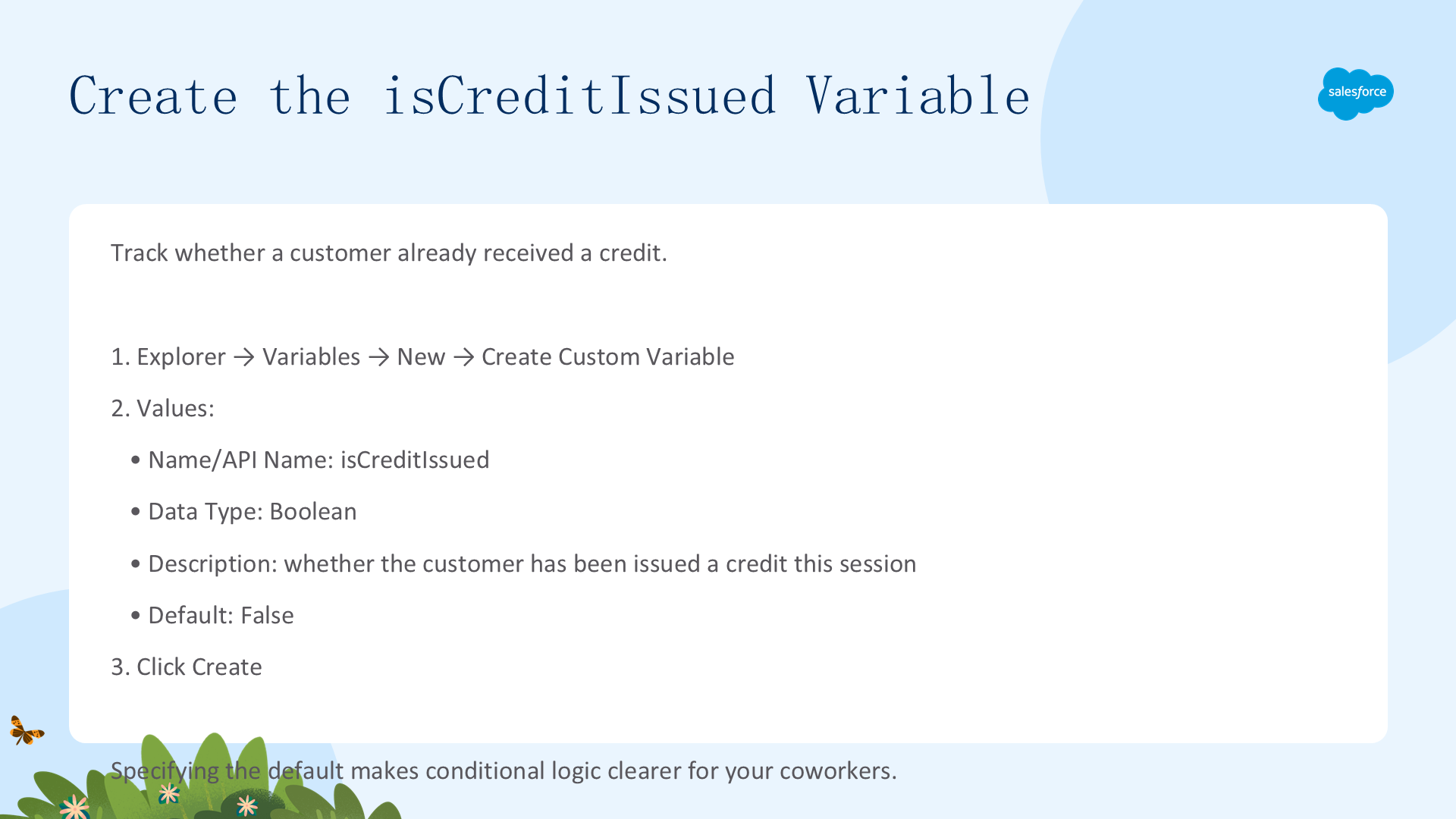
你会用这个变量来跟踪客户是否已经有资格获得积分。
- 在 Explorer 面板中,点击 Variables。
- 在右上角点击 New,然后选择 Create Custom Variable:
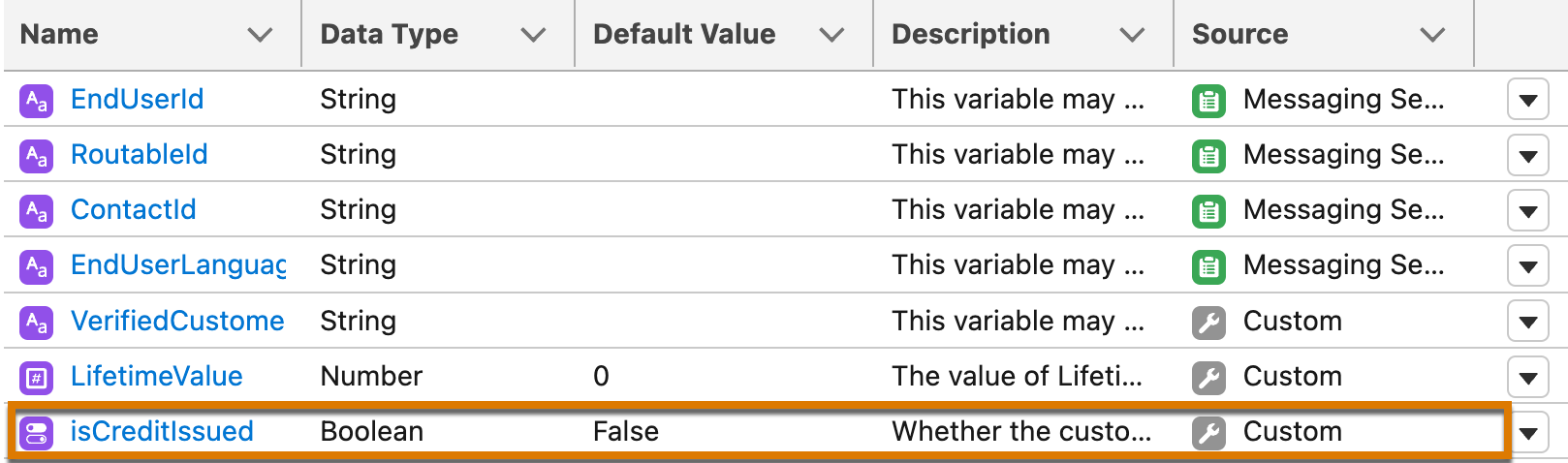
- Name 与 API Name:isCreditIssued
- Data Type:Boolean
- Description:Whether the customer has already been issued a resort credit this session.
- Default value:False
- 设置这些属性。
- 点击 Create。
即便不指定默认值,Agentforce 也会自动把布尔变量设为 False,但你仍显式地指定了默认值——这样一来,如果将来有同事需要更新你的 Agent,他们理解这段条件逻辑会容易得多。
更新 IssueResortCredit 动作以设置 isCreditIssued(Update the IssueResortCredit Action to Set isCreditIssued)
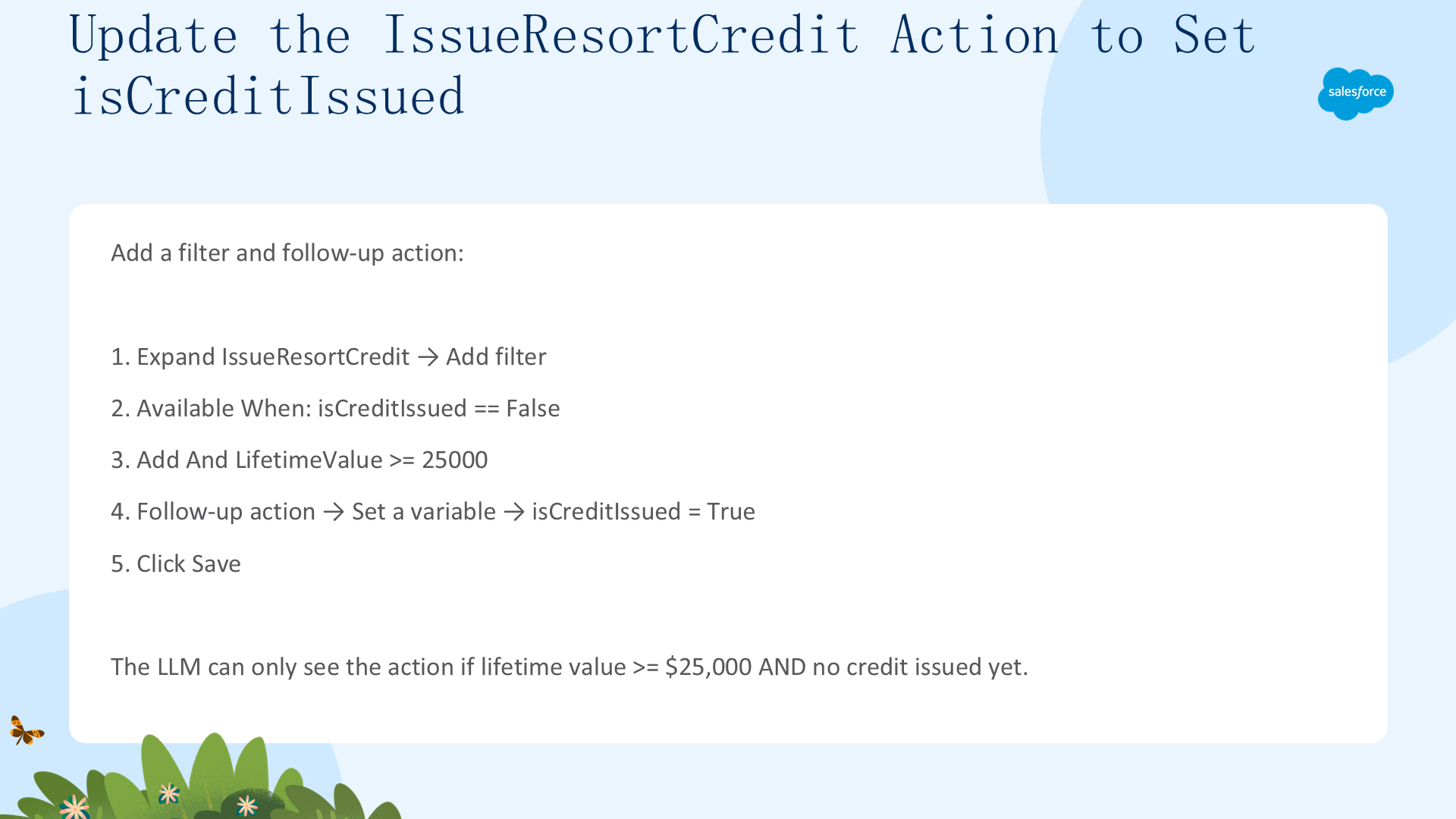
在脚本中,一旦发放了第一笔积分,你就把 isCreditIssued 变量设为 True,从而阻止代理在本次会话中发放更多积分。
注意:isCreditIssued 变量会在每一次会话时重置为 False,意味着代理有可能在每一个新的客户会话中都发放一笔积分。在生产环境的代理中,你应该使用更严格的方式,例如创建一个 Flow,检查客户是否已经为本次度假领取过积分。
- 在 Canvas 视图中,选择 Experience Management 子代理,向下滚动到 Actions Available for Reasoning。
- 展开 IssueResortCredit 动作,点击 IssueResortCredit 标签旁的内容,然后点击 Add filter。
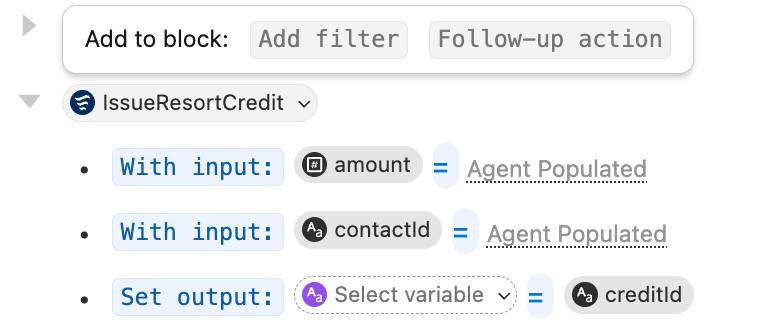
- 在 Available when: 旁边选择变量 isCreditIssued,创建过滤条件 Available When isCreditIssued == False。
- 点击 False 块右侧,出现 Add to block 组件后点击 And。
- 创建过滤条件 And LifetimeValue >= 25000。
- 点击 creditID 文本之后,让 Add to block: Follow-up action 组件出现。
- 点击 Follow-up action,然后选择 Set a variable。
- 选择 isCreditIssued,然后选择 True。
- 点击 Save。
在 Canvas 中,你的 IssueResortCredit 推理动作看起来就像这样:
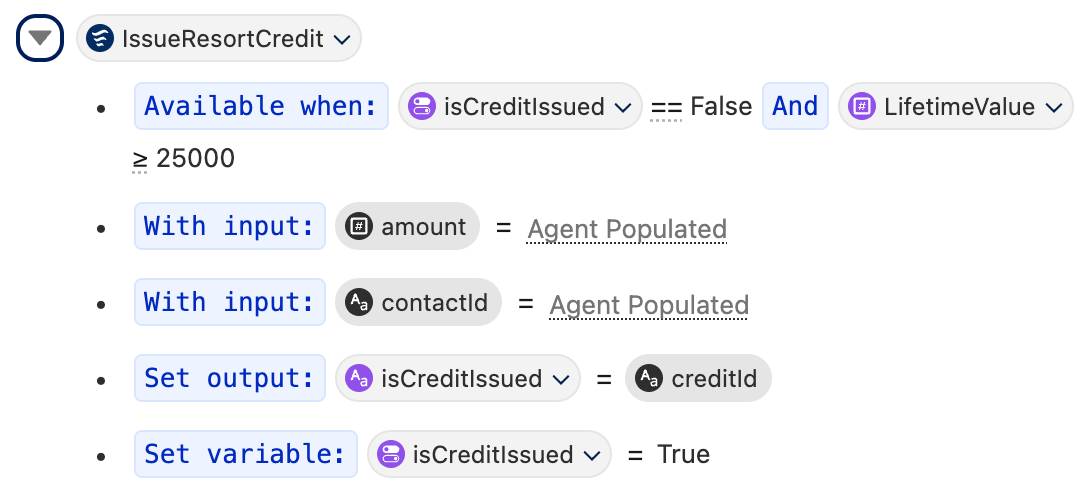
现在,只有当客户的终身价值 ≥ $25,000 并且该客户尚未被发放过积分时,LLM 才能看到 IssueResortCredit 动作。即使有客户试图说服 Agent 自己应得积分,Agent 也根本无法访问这个动作!不妨亲自试一试,看看 Agent 会怎么回应。
结语(Conclusion)
你初步体验了 Agentforce 的确定性和 Agent Script。你使用了变量、条件指令和动作过滤,为 Platinum、Gold 与普通客户定义了各自不同的工作流。在每个对话轮次,Agentforce 都会遵循你定义的逻辑,生成定制化的提示词、识别可用的动作,然后只把合适的内容发送给 LLM。
通过定义这套按忠诚层级区分的逻辑,你在保留代理推理与对话能力的同时,也让代理能够在严格界定的护栏之内奖励忠诚客户。
参考资源(Resources)
- Trailhead:New Agentforce Builder: Quick Look —— 前往学习
- Salesforce Help:Build Enterprise-Ready Agents with the New Agentforce Builder —— 前往查看
- Agentforce Developer Guide:Agent Script Common Patterns —— 前往查看
- Agentforce Developer Guide:Agent Script Reference —— 前往查看