语法与概念参考
本参考手册覆盖 Agent Script 的完整语法、关键字和核心概念。用于查阅特定功能的语法和用法。对于常见模式和示例,参见 Agent Script 通用模式。
注意:从 2026 年 4 月开始,topics 更名为 subagents(子代理),功能不变。
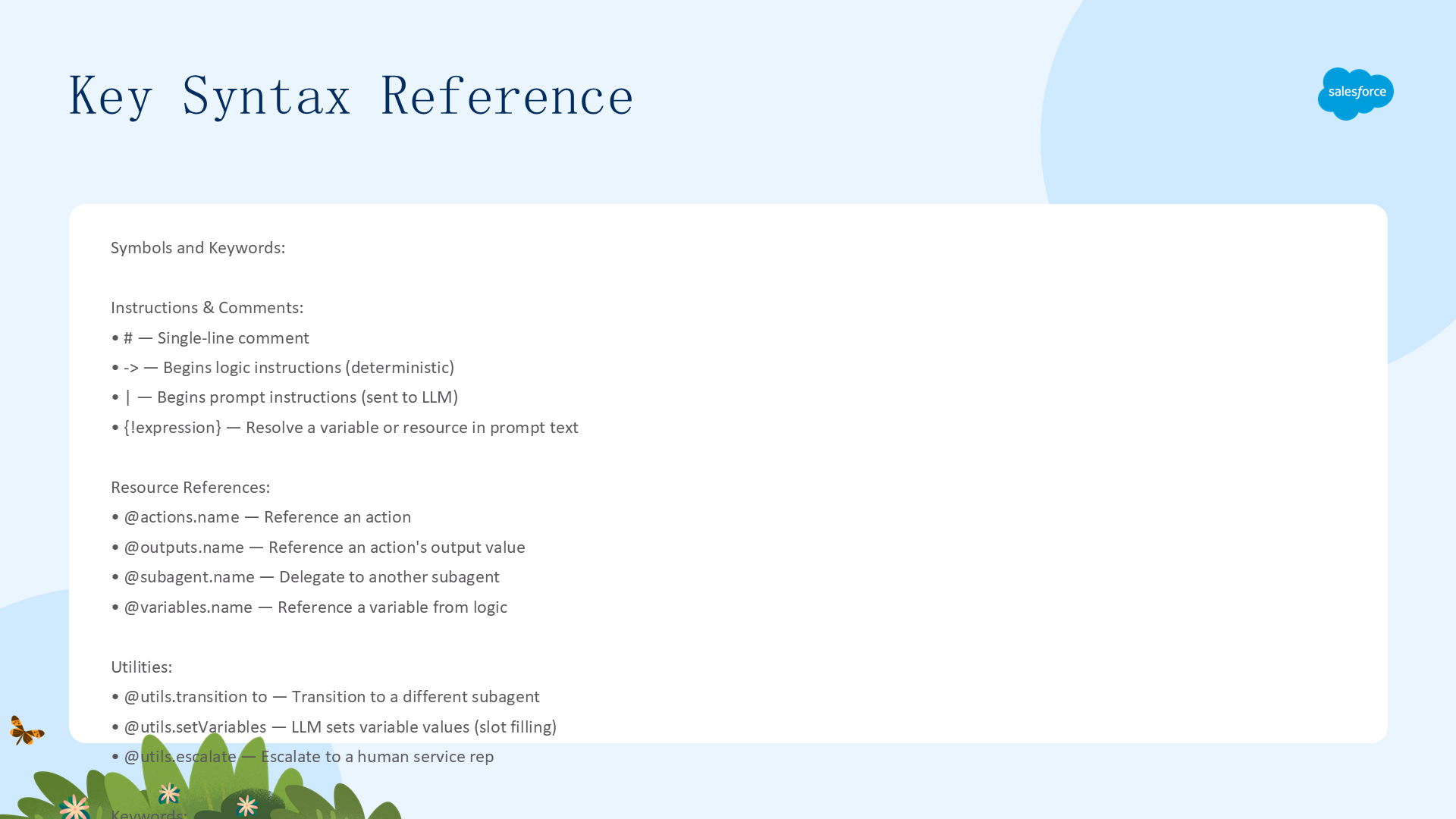
关键语法速查表
| 符号/关键字 | 说明 |
|---|---|
# | 单行注释。如 # This is a comment |
... | Slot-fill 令牌。指示 LLM 设置值。如 with order_id = ... |
-> | 开始逻辑指令(确定性)。如 instructions: -> if @variables.verified: |
| | 开始 Prompt 指令(发给 LLM)。如 | Help the customer. |
{!expression} | 在 Prompt 指令中解析变量或资源。如 {!@variables.name} |
== != < > is None 等 | 比较运算符 |
@actions.name | 引用动作。如 run @actions.get_order |
@outputs.name | 引用动作的输出值。如 set @variables.status = @outputs.status |
@subagent.name | 委派到另一个子代理。如 consult: @subagent.specialist |
@utils.escalate | 升级到人工客服的工具 |
@utils.setVariables | 指示 LLM 设置变量值的工具 |
@utils.transition to | 跳转到不同子代理的工具 |
@variables.name | 从逻辑指令中引用变量 |
actions | 定义子代理可用的动作或工具 |
after_reasoning | 推理循环退出后运行的逻辑 |
available when | 条件性显示或隐藏工具 |
if / else | 条件分支 |
mutable | 允许变量的值被修改 |
run | 确定性执行动作。如 run @actions.get_order |
set | 将值存入变量。如 set @variables.status = @outputs.status |
start_agent | 入口点块,用于子代理分类和路由 |
system.instructions | 为特定子代理覆盖系统指令 |
target | 动作目标(flow/apex/prompt) |
subagent | 定义子代理指令和动作的顶层块 |
topic | 已弃用。使用 subagent 代替 |
transition to | 从逻辑指令跳转到不同子代理 |
variables | 全局 Agent 变量的顶层块 |
with | 绑定输入参数 |
len() | 获取列表长度。如 len(@variables.MyList) |
参考概念
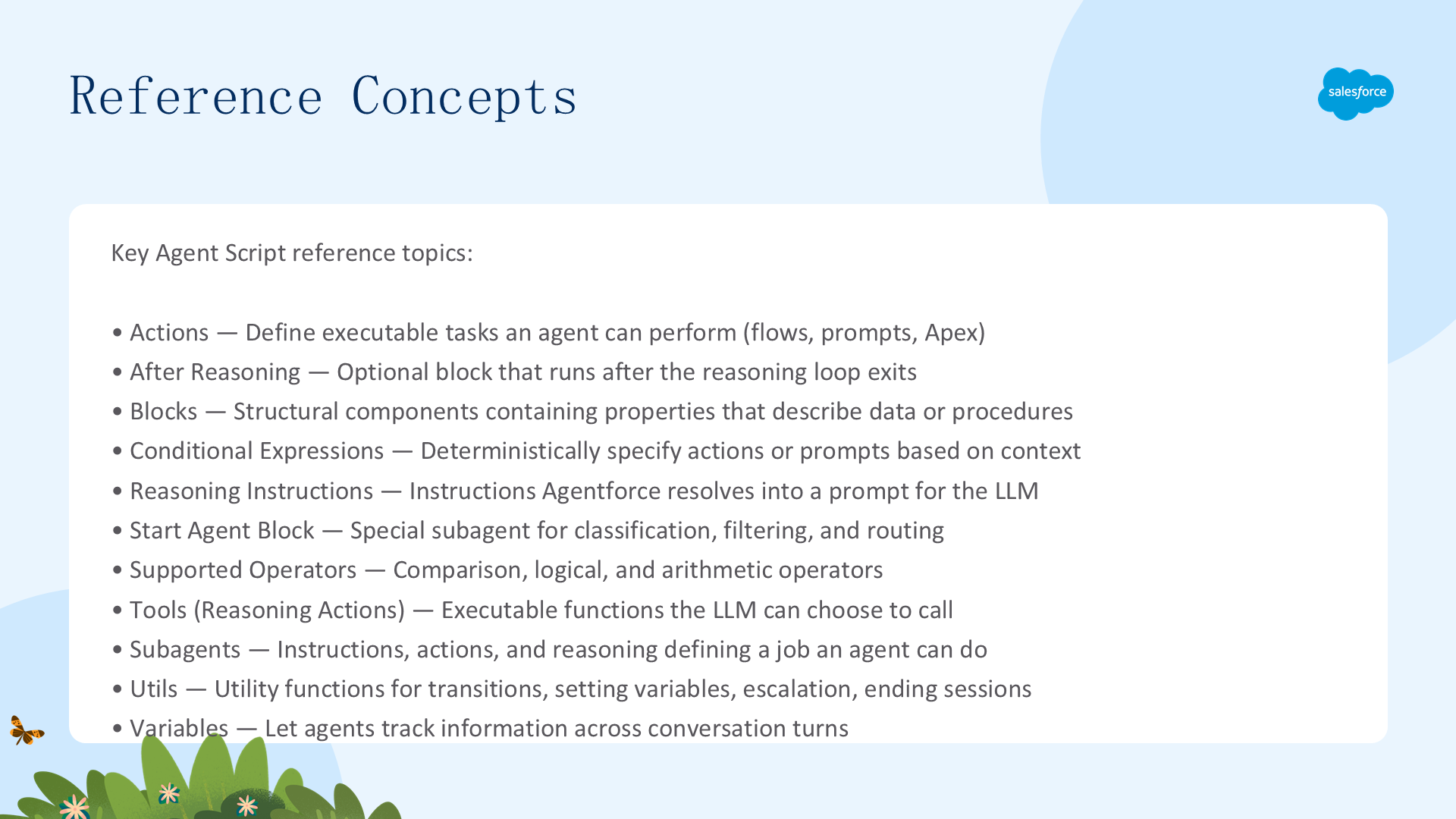
Actions:定义可执行任务(Flow/Apex/Prompt 调用)
After Reasoning:推理循环退出后运行的可选块
Blocks:Agent Script 的结构组件
Conditional Expressions:基于上下文确定性指定动作或 Prompt
Reasoning Instructions:Agentforce 解析为 LLM Prompt 的指令
Supported Operators:比较、逻辑和算术运算符
Tools (Reasoning Actions):LLM 可选择调用的可执行函数
Utils:工具函数:跳转、设置变量、升级、结束会话
Variables:跨对话轮次跟踪信息
参考:Actions(动作)
动作定义一个子代理可执行的任务,如调用 Flow、Prompt Template 或 Apex 类。可以将动作输出存入变量,供推理引擎使用。每个子代理的动作是独立的——如果导入动作,子代理获得导入动作的独立副本。
动作定义与属性
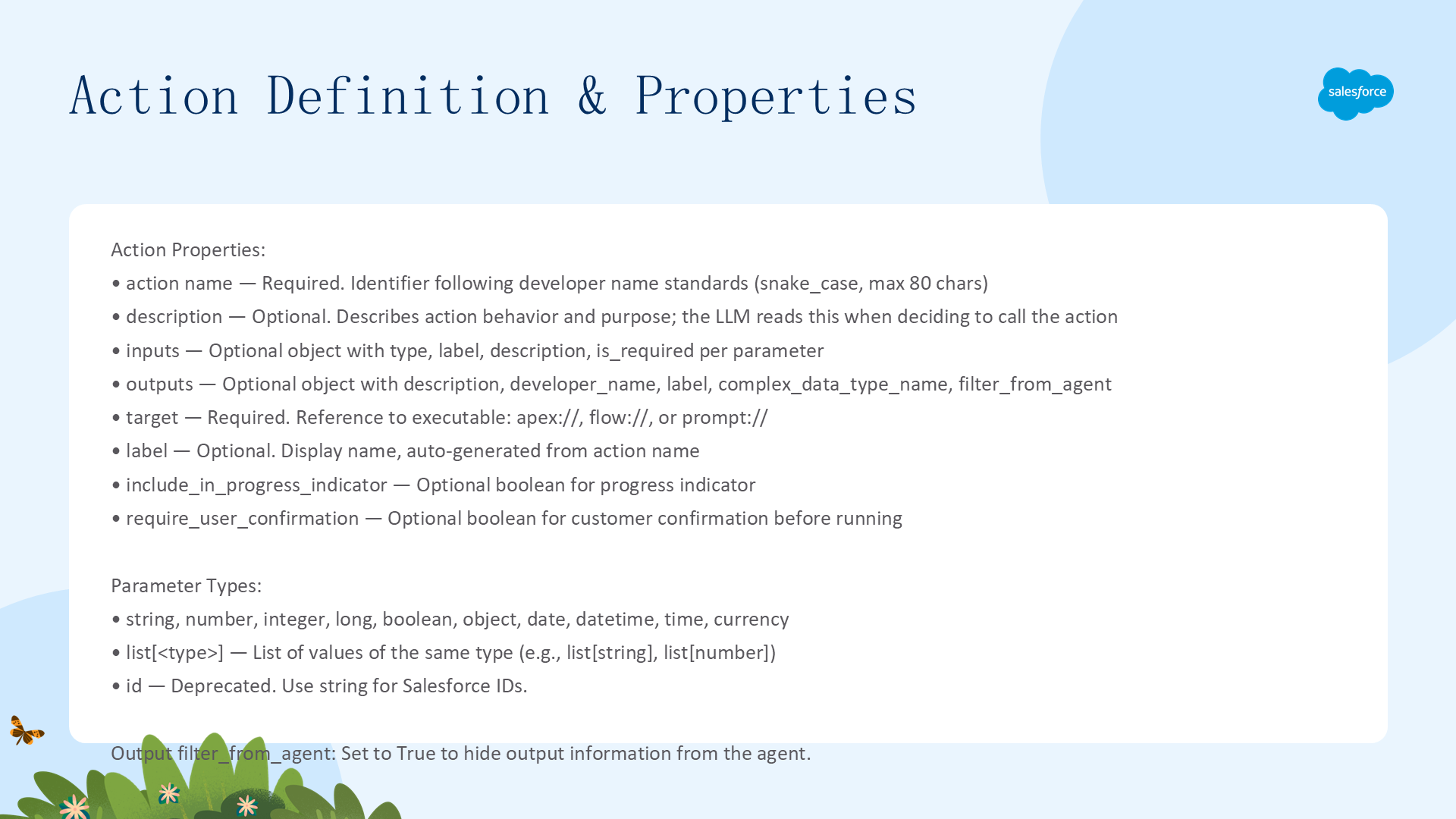
| 属性 | 说明 |
|---|---|
action name | 必填。动作标识符。必须以字母开头,仅含字母数字和下划线,max 80 字符,推荐 snake_case |
description | 可选。描述动作的行为和目的。LLM 根据描述决定是否调用。支持 | 多行 |
inputs | 可选。定义输入参数及其类型(string/number/integer/long/boolean/object/date/datetime/time/currency/list[type]) |
include_in_progress_indicator | 可选。布尔值。Agent 运行此动作时是否显示进度指示器 |
target | 必填。引用可执行目标,格式 {TYPE}://{NAME}。支持 apex/flow/prompt |
label | 可选。显示给客户的名称。默认从 action name 自动生成 |
outputs | 可选。定义输出参数。默认 Agent 在整个会话中记住输出信息 |
require_user_confirmation | 可选。布尔值。客户是否必须在 Agent 运行此动作前确认 |
Input 参数类型:string、number、integer、long、boolean、object、date、datetime、time、currency、list[type]。
Outputs 关键属性:filter_from_agent(True 时输出从 Agent 上下文中排除)、complex_data_type_name(复杂数据类型时必填)。
使用动作:确定性调用 vs LLM 工具
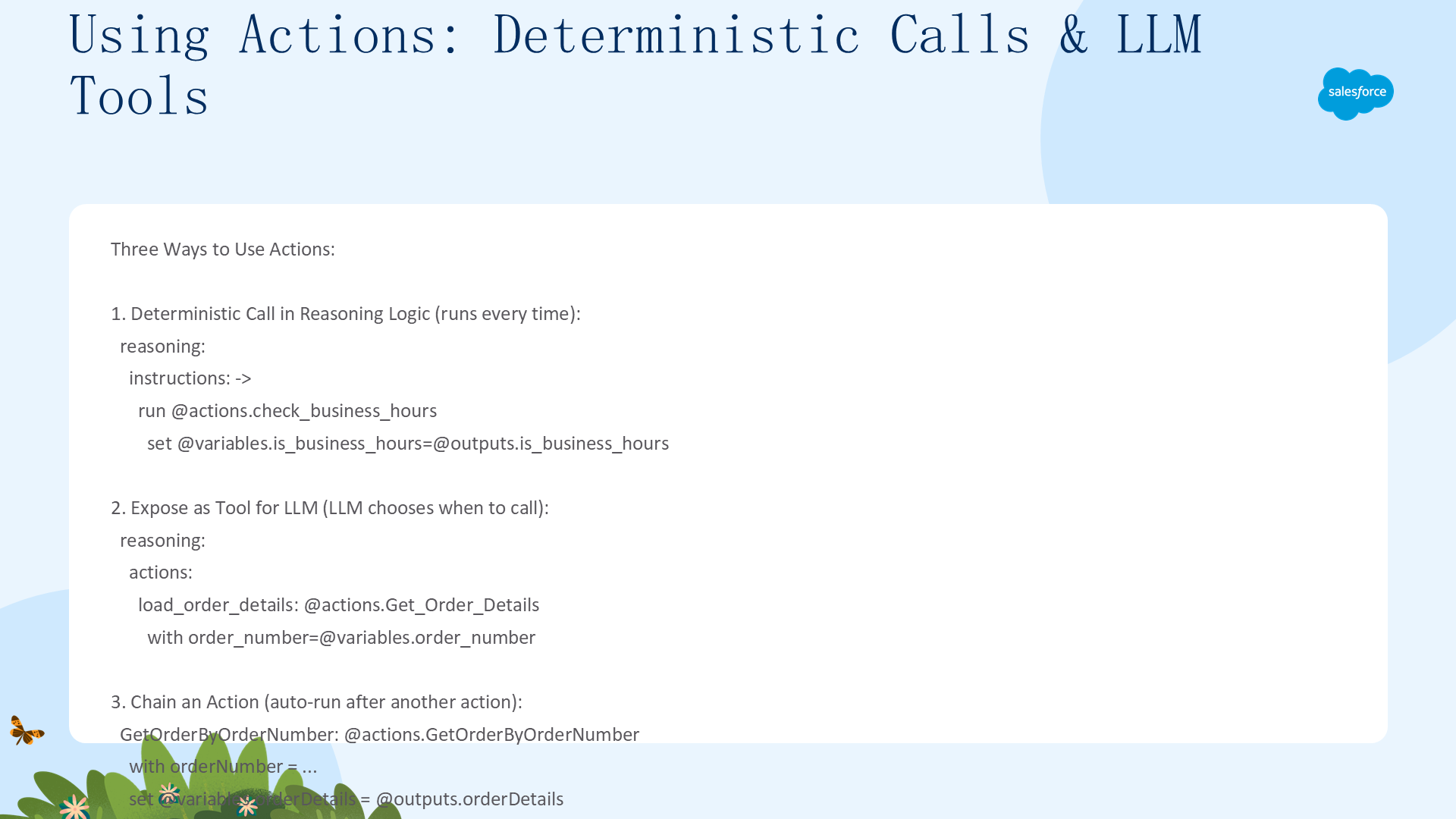
动作有两种使用方式:
- 确定性调用(
run @actions.xxx):在reasoning.instructions的逻辑部分显式调用。每次子代理运行时都执行 - 暴露为 LLM 工具:在
reasoning.actions中引用,LLM 基于上下文主观选择是否调用。可以在 Prompt 中显式引用{!@actions.tool_name}来提供更明确的指导
subagent my_topic:
    actions:
        send_verification_code_action:
            description: "Send a verification code"
            inputs:
                email: string
                member_number: string
            outputs:
                verification_code: string
                member_name: string
            target: "flow://Get_Verification_Code"

    reasoning:
        actions:
            # 暴露为 LLM 工具
            send_verification_code_tool: @actions.send_verification_code_action
                with email=@variables.member_email
                with member_number=@variables.member_number
                set @variables.verification_code=@outputs.verification_code

        instructions: ->
            # 确定性调用
            if @variables.member_email != "":
                run @actions.send_verification_code_action
                    with email=@variables.member_email
                    with member_number=@variables.member_number
                    set @variables.verification_code=@outputs.verification_code
                    set @variables.member_name=@outputs.member_name

            # LLM 工具引用
| Verify code using {!@actions.send_verification_code_tool}.注意:如果在 UI 中创建动作并暴露为工具,动作和工具使用相同的名称。
参考:After Reasoning
after_reasoning 块在推理循环退出后每次请求都运行。可以包含逻辑、动作、跳转,但不能包含 |(pipe)指令。典型用途:将客户输入的信息存入变量、跳转到不同子代理、运行动作。
注意:使用 EinsteinHyperClassifier 模型的子代理不能使用 before/after_reasoning。Agent Script 也支持 before_reasoning 块(功能同 after_reasoning,等效于在指令开头添加逻辑)。
用法与跳转
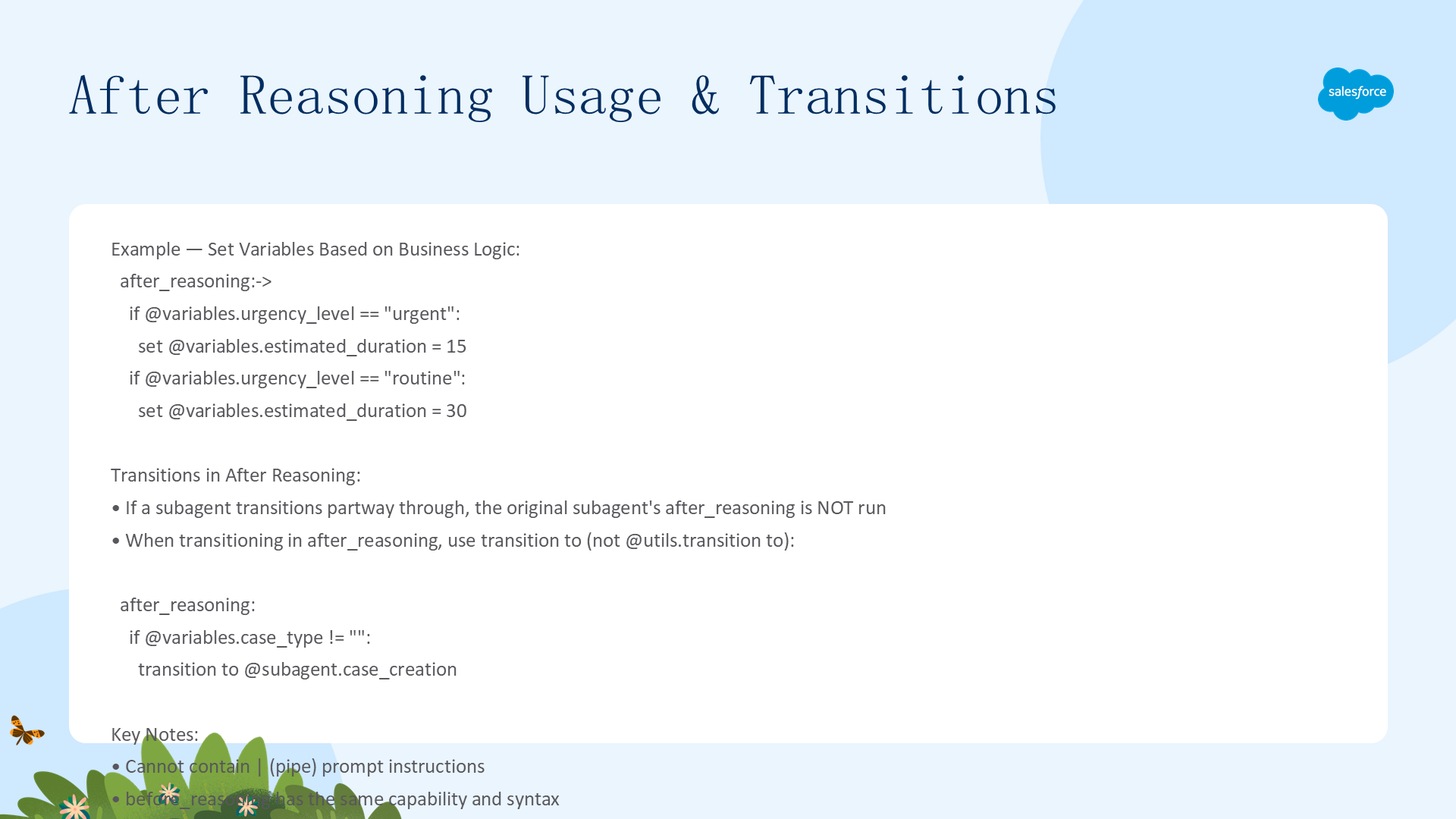
after_reasoning:->
    if @variables.urgency_level == "urgent":
        set @variables.estimated_duration = 15
    if @variables.urgency_level == "routine":
        set @variables.estimated_duration = 30

# 在 after_reasoning 中跳转(使用 transition to 而非 @utils.transition to)
after_reasoning:
    if @variables.case_type != "":
transition to @subagent.case_creation重要:如果子代理在执行中途跳转到新子代理,原子代理的 after_reasoning 块不会运行。跳转后控制不返回。
参考:条件表达式

if 和 else 条件确定性指定采取什么动作或包含哪些 Prompt。支持 and/or 以及括号 () 分组。
注意:目前支持if和else,但不支持else if。
条件表达式模式
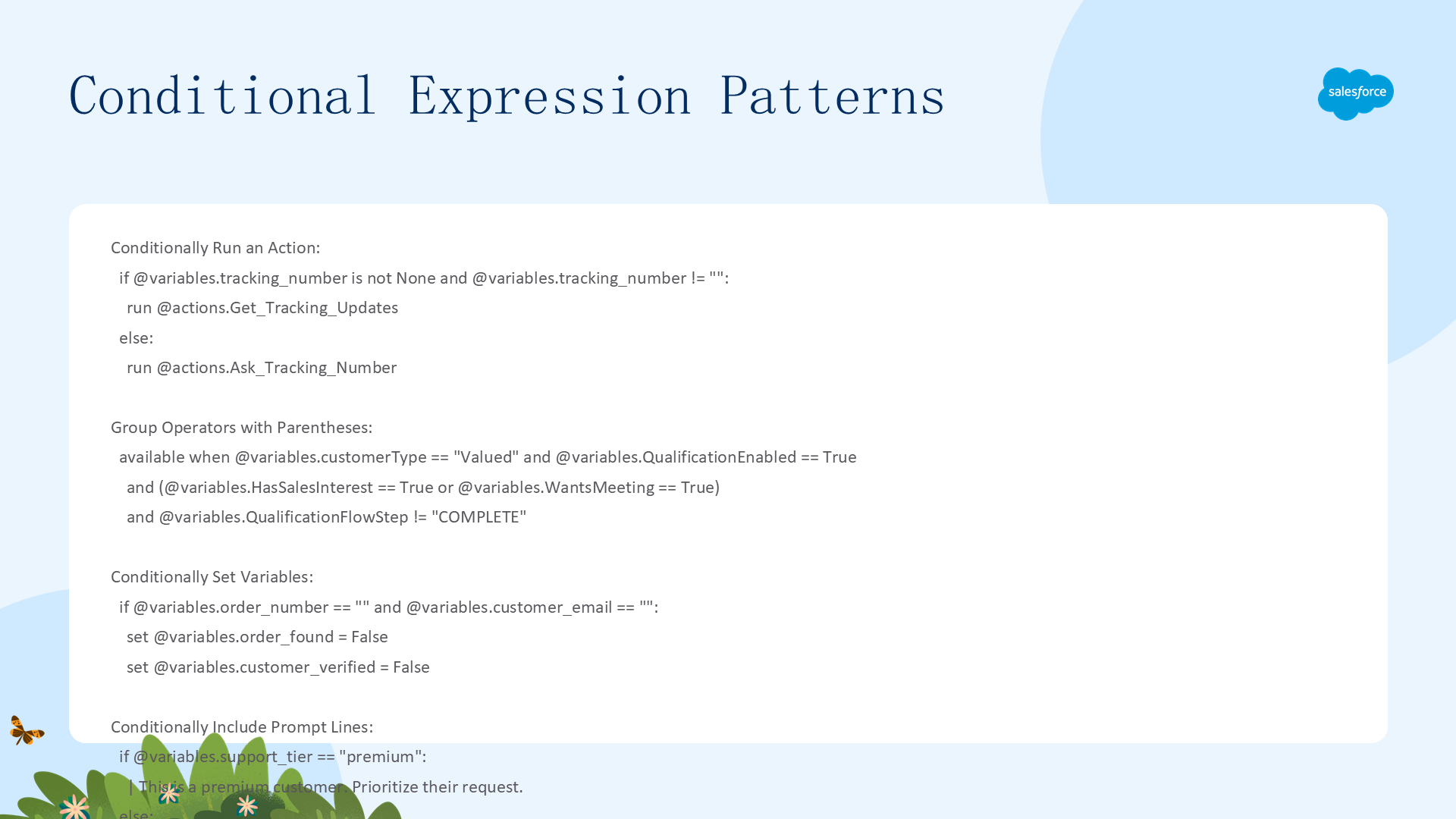
条件运行动作
if @variables.tracking_number is not None and @variables.tracking_number != "":
    run @actions.Get_Tracking_Updates
else:
    run @actions.Ask_Tracking_Number
嵌套分组条件
available when @variables.customerType == "Valued" and @variables.QualificationEnabled == True and (@variables.HasSalesInterest == True or @variables.WantsMeeting == True) and @variables.QualificationFlowStep != "COMPLETE"条件设置变量 + 条件 Prompt
if @variables.order_number == "" and @variables.customer_email == "":
    set @variables.order_found = False
    set @variables.customer_verified = False

if @variables.is_late == True:
    | Apologize to the customer for the delay.
else:
    | Tell the customer their order is arriving as scheduled.

if @variables.support_tier == "premium":
    | This is a premium customer. Prioritize their request.
else:
    | This is a standard customer. Answer helpfully.
检查变量是否有值
if @variables.account_id is None:
    | What's the account ID?
if @variables.is_premium_user is not None:
    | Premium status: {!@variables.is_premium_user}.
参考:推理指令
子代理的 reasoning 块包含 Agentforce 解析为 LLM Prompt 的指令。通常,较短的推理指令会产生更准确和可靠的结果。
逻辑指令 vs Prompt 指令
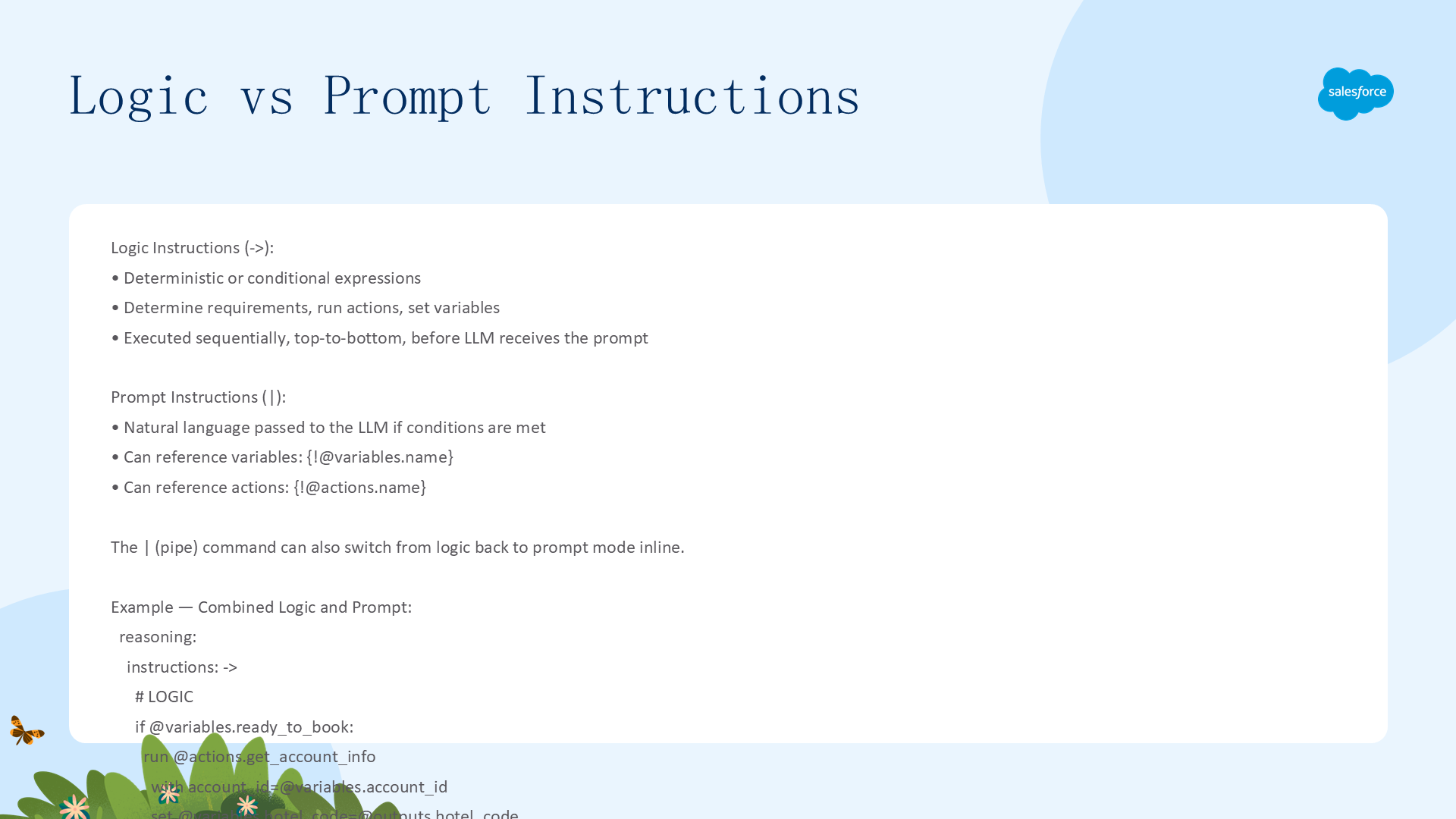
推理指令分为两部分:
- 逻辑指令(
->之后):确定性或条件表达式。确定要求、运行动作、设置变量。Agentforce 解析时执行 - Prompt 指令(
|之后):作为自然语言传递给 LLM。仍可通过{!@variables}、{!@actions}引用字面值
reasoning:
    instructions: ->
        # 逻辑指令(确定性)
        if @variables.ready_to_book:
            run @actions.get_account_info
                with account_id=@variables.account_id
                set @variables.hotel_code=@outputs.hotel_code
        run @actions.get_hotel_info
            with hotel_code=@variables.hotel_code
            set @variables.hotel_info = @outputs.hotel_info

        # Prompt 指令(发给 LLM)
        | You are a helpful assistant. Here's the latest hotel
          information {!@variables.hotel_info}. If the user asks about
          availability, use: {!@actions.get_availability}.
在 Prompt 中使用变量:{!@variables.<name>},Prompt 解析时将替换为变量实际值。
参考:支持的运算符
完整运算符参考
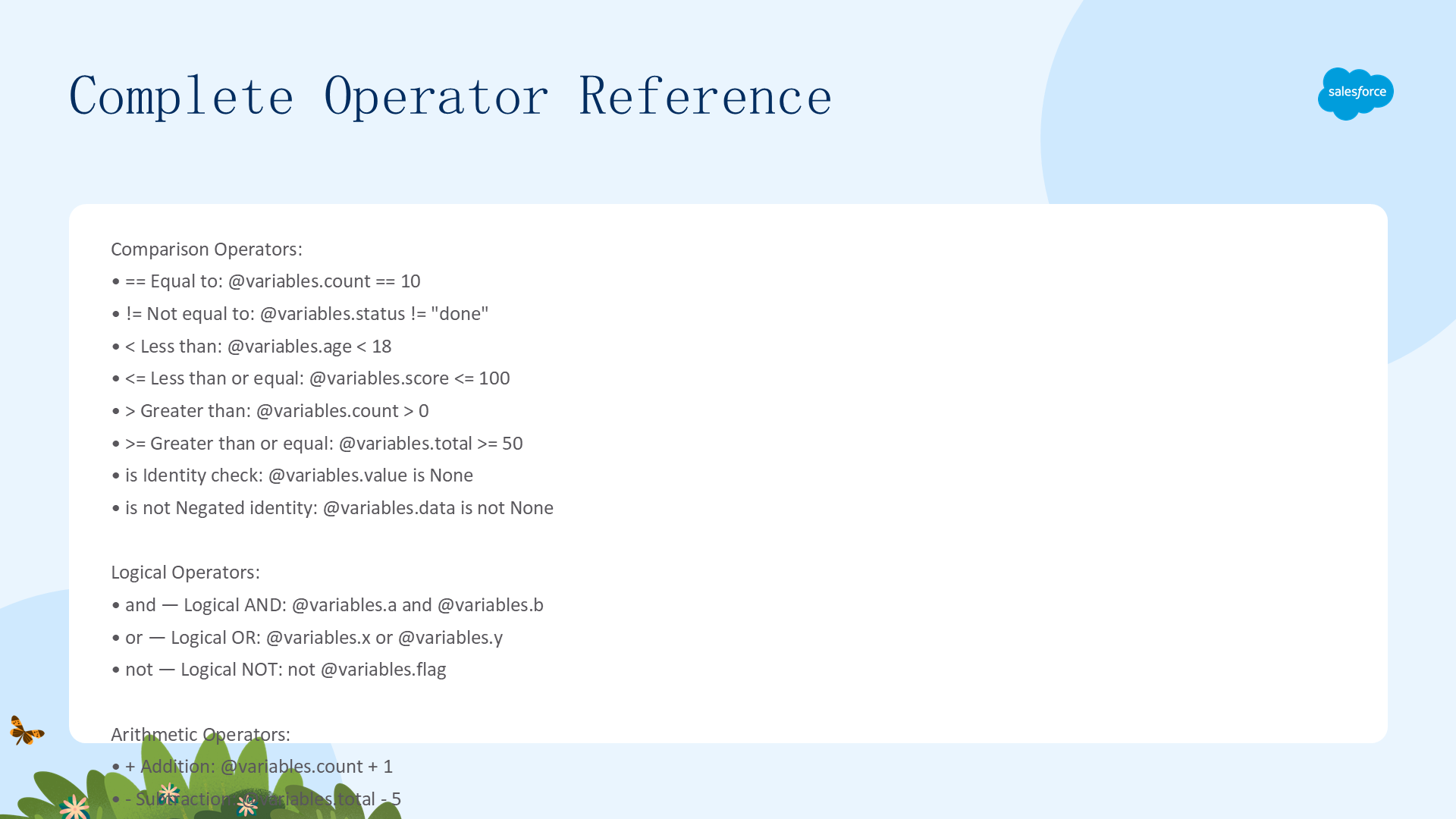
| 类别 | 运算符 | 说明 | 示例 |
|---|---|---|---|
| 比较 | == | 等于 | @variables.count == 10 |
!= | 不等于 | @variables.status != "done" | |
< | 小于 | @variables.age < 18 | |
<= | 小于等于 | @variables.score <= 100 | |
> | 大于 | @variables.count > 0 | |
>= | 大于等于 | @variables.total >= 50 | |
is | 同一性检查 | @variables.value is None | |
is not | 否定同一性检查 | @variables.data is not None | |
| 逻辑 | and | 逻辑 AND | @variables.a and @variables.b |
or | 逻辑 OR | @variables.x or @variables.y | |
not | 逻辑 NOT | not @variables.flag | |
| 算术 | + | 加法 | @variables.count + 1 |
- | 减法 | @variables.total - 5 | |
| 分组 | ( ) | 括号 | (@variables.x or @variables.y) and @variables.z |
参考:Tools(推理动作)
Tools 是 LLM 基于工具描述和当前上下文可选择调用的可执行函数。定义在 reasoning.actions 块中。Tools 必须包装一个动作或 @utils 函数。
Tools vs Actions 区别:Agent Script 有两个 actions 块——Subagent actions(subagent.actions)从逻辑指令中可用;Reasoning actions(subagent.reasoning.actions)LLM 可调用,也可在 Prompt 中引用。由于 reasoning actions 可引用子代理和工具函数(不仅是普通动作),有时称为"tools"。
available when 与子代理作为工具
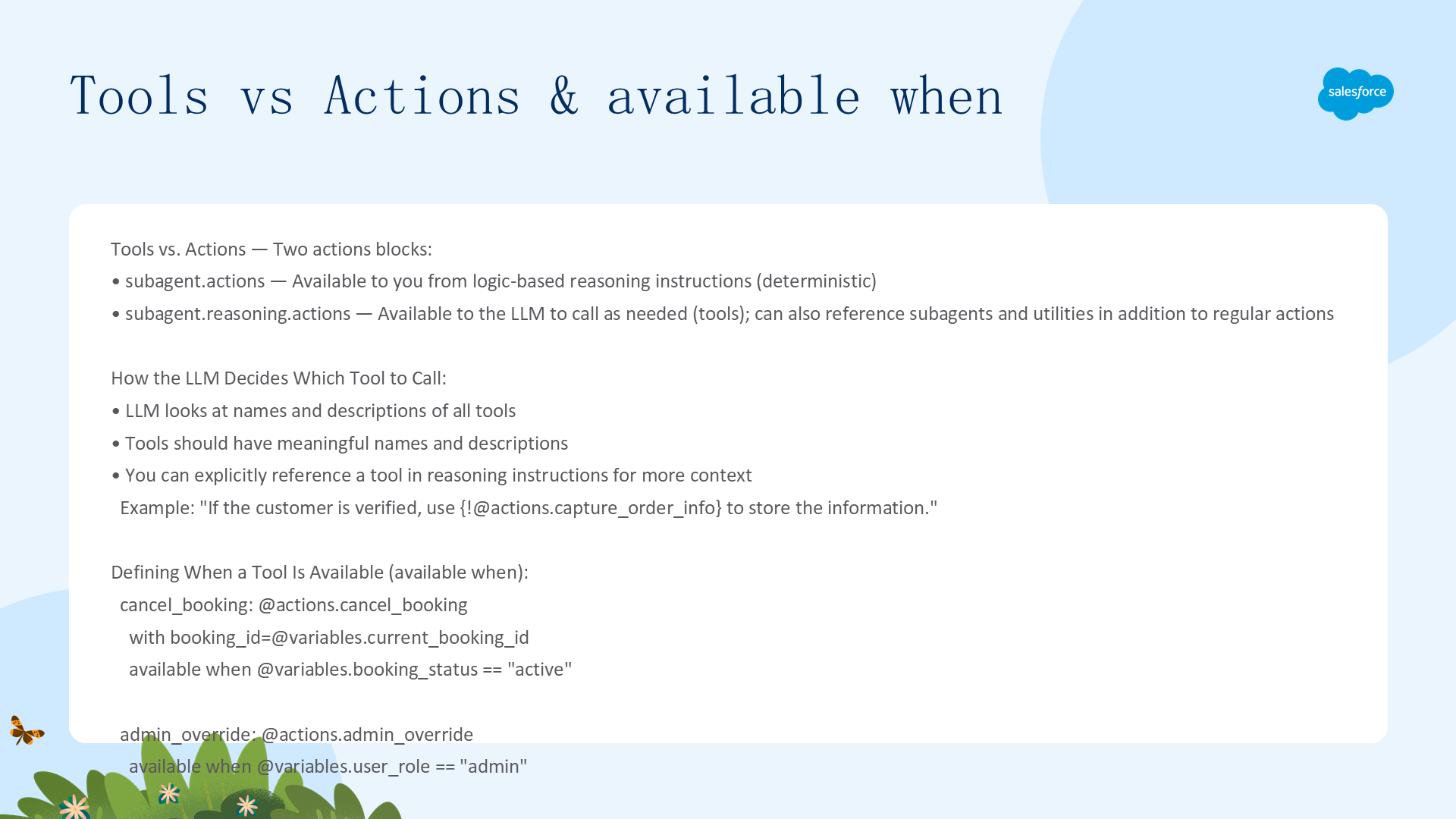
定义工具可用性
cancel_booking: @actions.cancel_booking
    with booking_id=@variables.current_booking_id
    available when @variables.booking_status == "active"

admin_override: @actions.admin_override
    available when @variables.user_role == "admin"
LLM 如何选择工具
LLM 查看所有工具的名称和描述来决定是否调用。工具应有有意义的名称和描述。可以在推理指令中显式引用工具提供更多上下文:
| If the customer is verified and provides their order number, use {!@actions.capture_order_info} to store the information.子代理作为工具
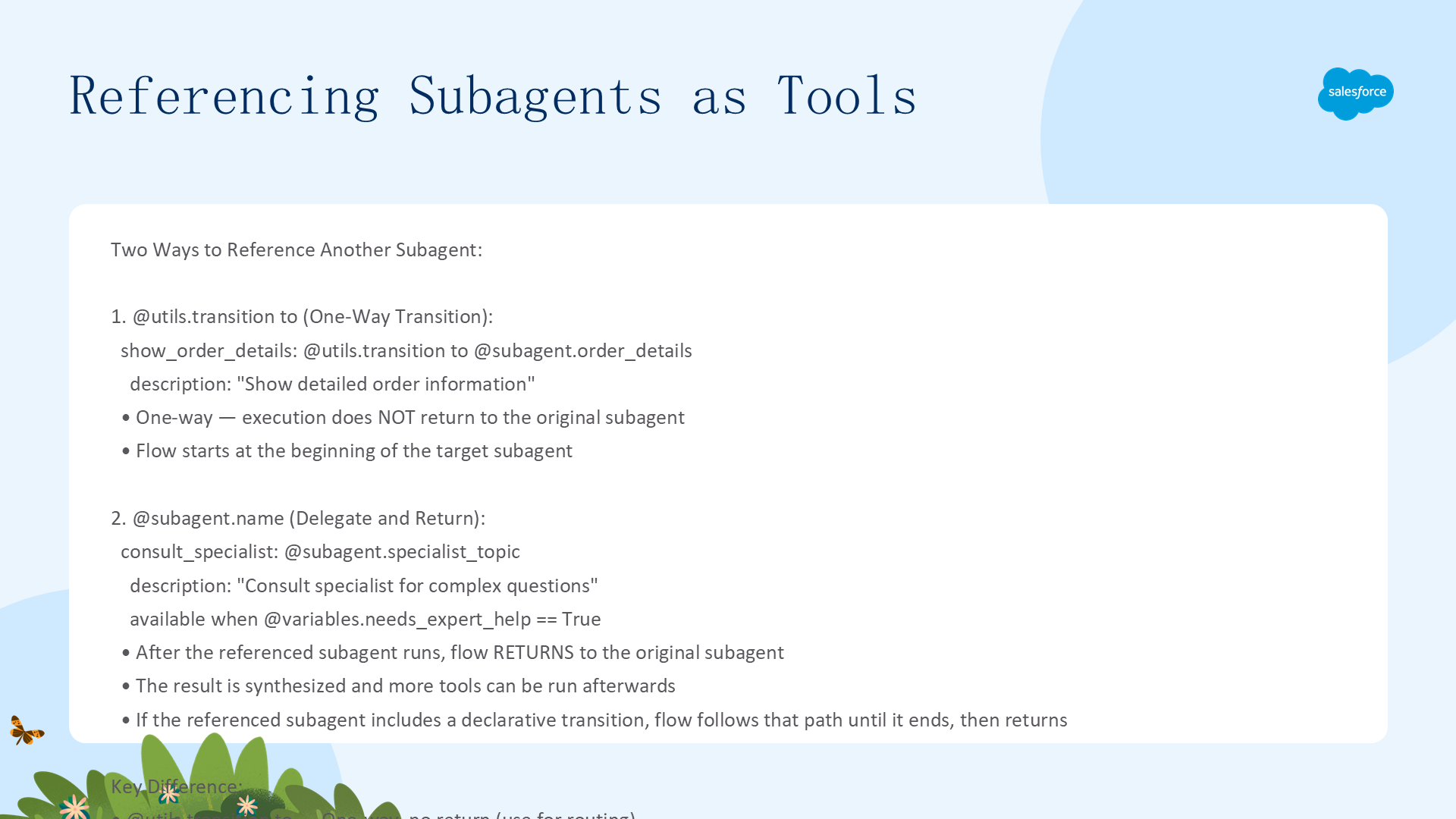
在 reasoning actions 中,可以用两种方式引用子代理:
reasoning:
    actions:
        # 声明式跳转(单向,不返回)
        show_order_details: @utils.transition to @subagent.order_details
            description: "Show detailed order information"

        # 作为工具调用(运行后返回原子代理,可继续调用其他工具)
        consult_specialist: @subagent.specialist_topic
            description: "Consult specialist for complex questions"
available when @variables.needs_expert_help == True关键区别:@utils.transition to 是单向跳转不返回;@subagent.xxx 作为工具调用后返回原调用方,可继续执行后续逻辑。
参考:Utils(工具函数)

Utils 是可用作工具的实用函数,用于跳转子代理、设置变量、升级到人工客服或结束会话。
utils.transition to & utils.setVariables
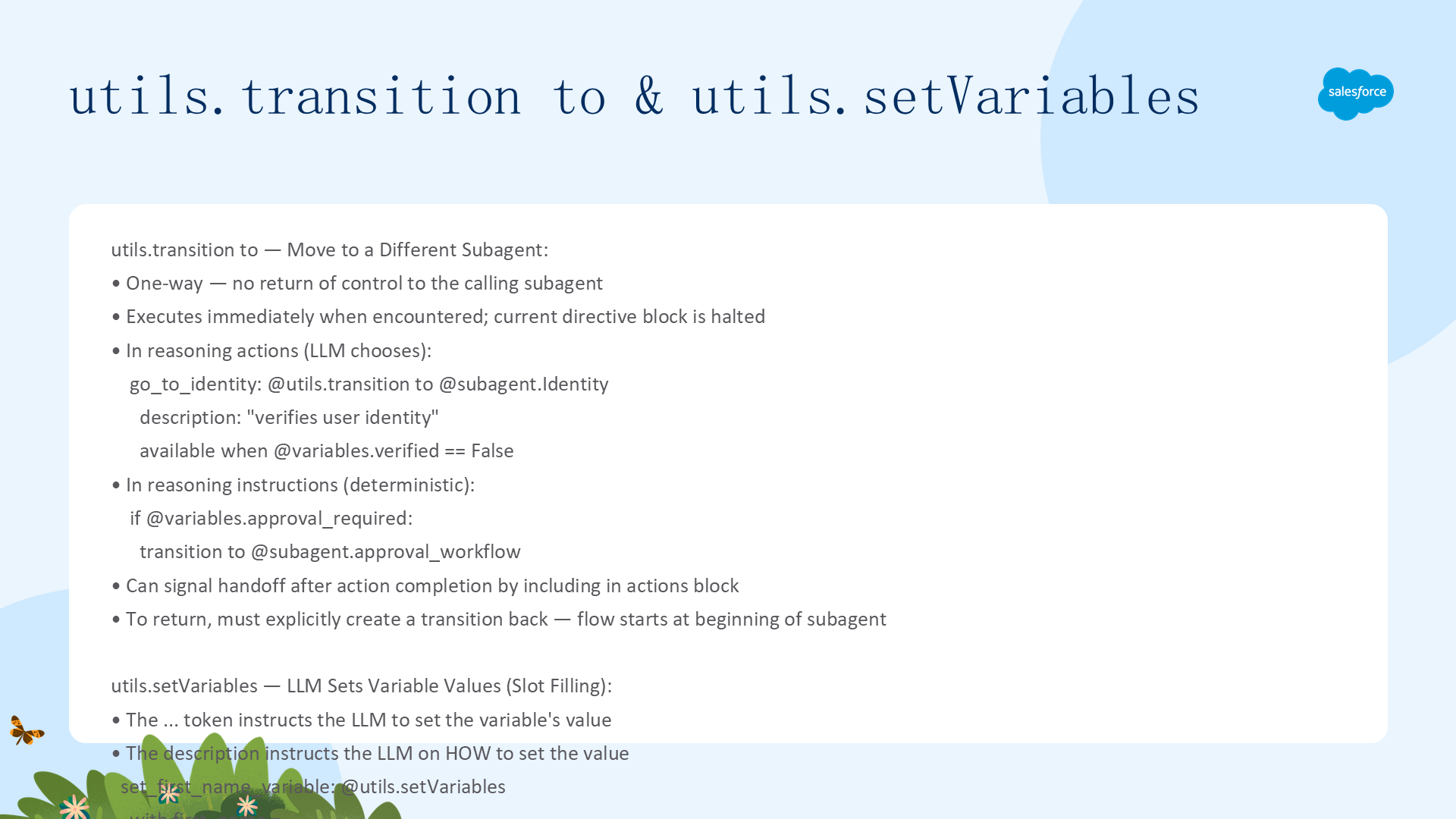
utils.transition to
跳转到不同子代理。单向,控制不返回。transition to 遇到时立即执行。可在 reasoning actions 中暴露为 LLM 工具,也可在逻辑指令中确定性使用:
# 在 reasoning actions 中(LLM 可选)
reasoning:
    actions:
        go_to_order: @utils.transition to @subagent.Order_Management
            description: "Handles order lookup"
            available when @variables.verified == True

# 在逻辑指令中(确定性)
if @variables.approval_required:
    transition to @subagent.approval_workflow    # 注意:无 @utils. 前缀!
utils.setVariables
指示 LLM 根据自然语言描述设置变量值。... 令牌告诉 LLM 自行设置值:
set_first_name_variable: @utils.setVariables
    with first_name = ...
    description: "Get the user's first name"
utils.escalate & utils.end_session
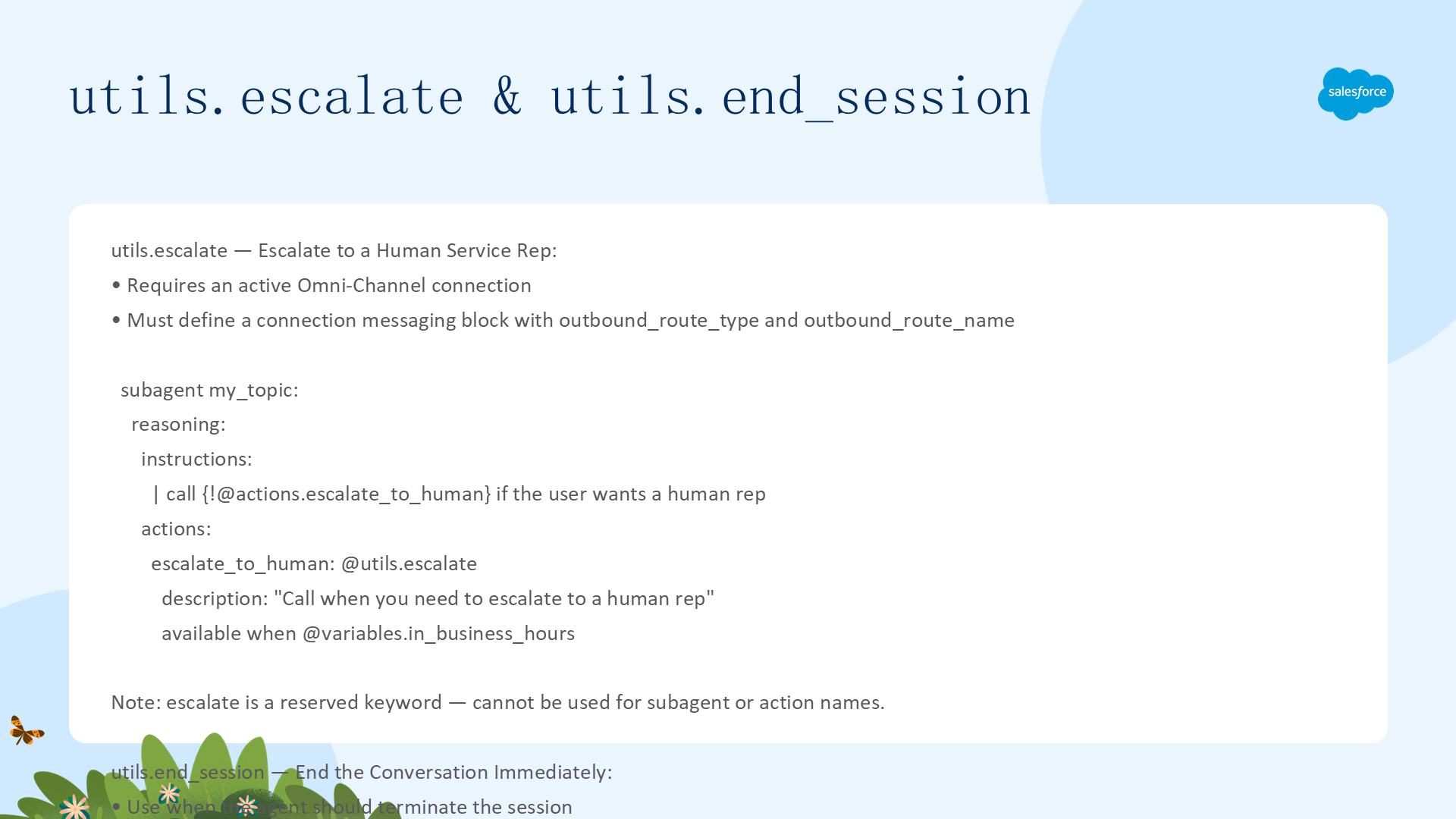
utils.escalate
升级到人工客服。需要活动的 Omni-Channel 连接和 connection messaging 块配置。可代替升级子代理使用:
escalate_to_human: @utils.escalate
    description: "Call this when you need to escalate to a human rep"
    available when @variables.in_business_hours
escalate 是保留关键字,不能用于子代理或动作名称。
utils.end_session
立即结束对话。适用于任务完成后或特定条件满足时终止会话:
end_conversation: @utils.end_session
# LLM 可选择结束对话(如客户发出不当言论时)
# 也可在 Agent Router 中跳转到 EndSession 子代理来确定性结束
参考:Variables(变量)

变量让 Agent 跨对话轮次确定性记住信息、跟踪进度和维护上下文。所有变量在 variables 块中定义,Agent 中所有子代理均可访问。
三种变量类型:Regular(常规变量,可初始化默认值,Agent 可修改)、Linked(链接变量,值绑定到外部源如 @MessagingSession.Id,不能有默认值)、System(系统变量,只读预定义,如 @system_variables.user_input)。
变量命名规则:以字母开头,仅含字母数字和下划线,不能以下划线结尾,不能有连续下划线,max 80 字符。
常规变量与链接变量
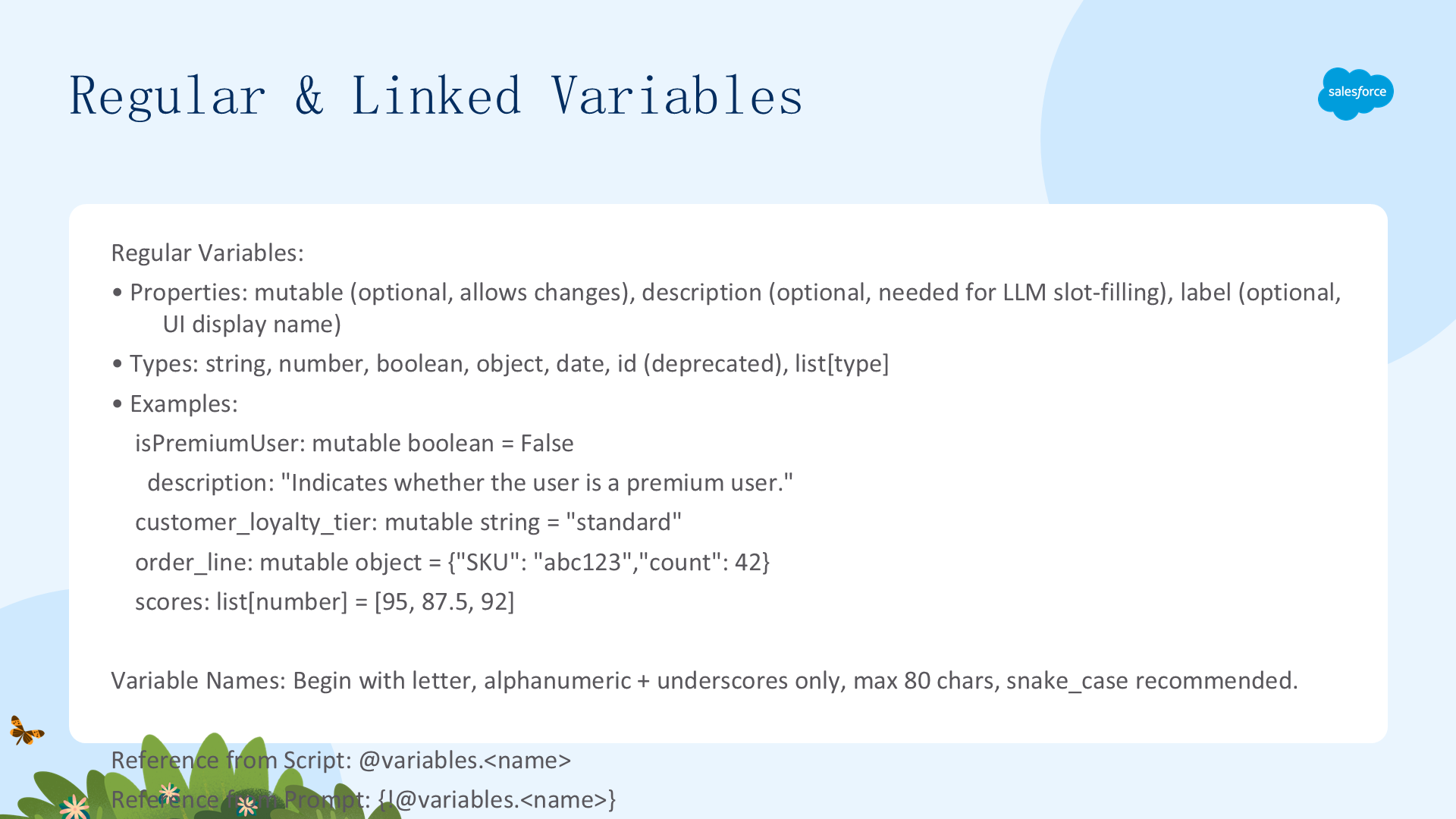
常规变量类型
| 类型 | 说明 | 示例 |
|---|---|---|
string | 字母数字字符串 | name: mutable string = "" |
number | 整数和小数(IEEE 754 双精度浮点) | price: mutable number = 99.99 |
boolean | True 或 False(大小写敏感) | is_active: mutable boolean = True |
object | 复杂 JSON 对象 | order: mutable object = {"SKU":"abc"} |
date | 有效日期格式 | start_date: mutable date |
list[type] | 指定类型的值列表 | flags: mutable list[boolean] = [True,False] |
链接变量
值绑定到外部源。可用源:@MessagingSession(Id/MessagingEndUserId/EndUserLanguage)、@MessagingEndUser(ContactId)、@VoiceCall(Id)。支持类型:string/number/boolean/date。
session_id: linked string
    source: @MessagingSession.Id
    description: "The messaging session ID"
contact_id: linked string
    source: @MessagingEndUser.ContactId
    description: "The contact ID of the end user"
引用变量
脚本中:@variables.Customer_Contact;Prompt 中:{!@variables.Customer_Email}。
系统变量与 None vs 空字符串
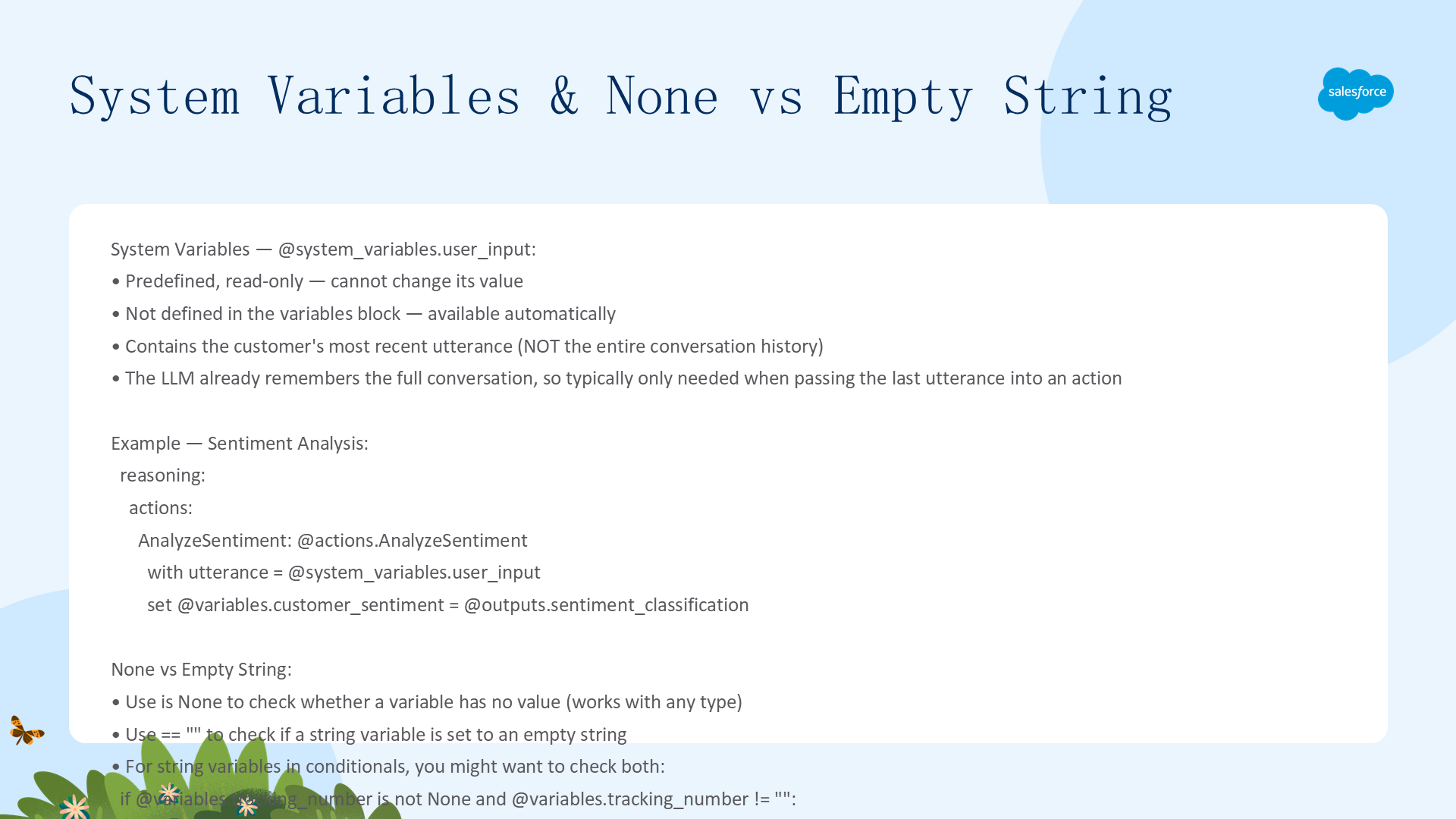
@system_variables.user_input
包含客户最近一次发言(非整个对话历史)。LLM 记住整个对话历史,通常不需要使用此变量,除非需要将客户最后说的话传入一个动作:
AnalyzeSentiment: @actions.AnalyzeSentiment
    with utterance = @system_variables.user_input
    set @variables.customer_sentiment = @outputs.sentiment_classification
None 与空字符串 ""
使用 is None 检查变量是否有值(适用于任何类型)。对于字符串变量,== "" 检查是否为空字符串。关键区别:空字符串是有效的赋值(变量存在但值为空),None 表示未赋值(变量不存在值)。在条件语句中检查字符串变量时,可能需要同时使用两者。
本参考手册覆盖 Agent Script 的完整语法。建议与 语言特性、脚本块、通用模式 配合阅读,形成完整的知识体系。